










Core Features
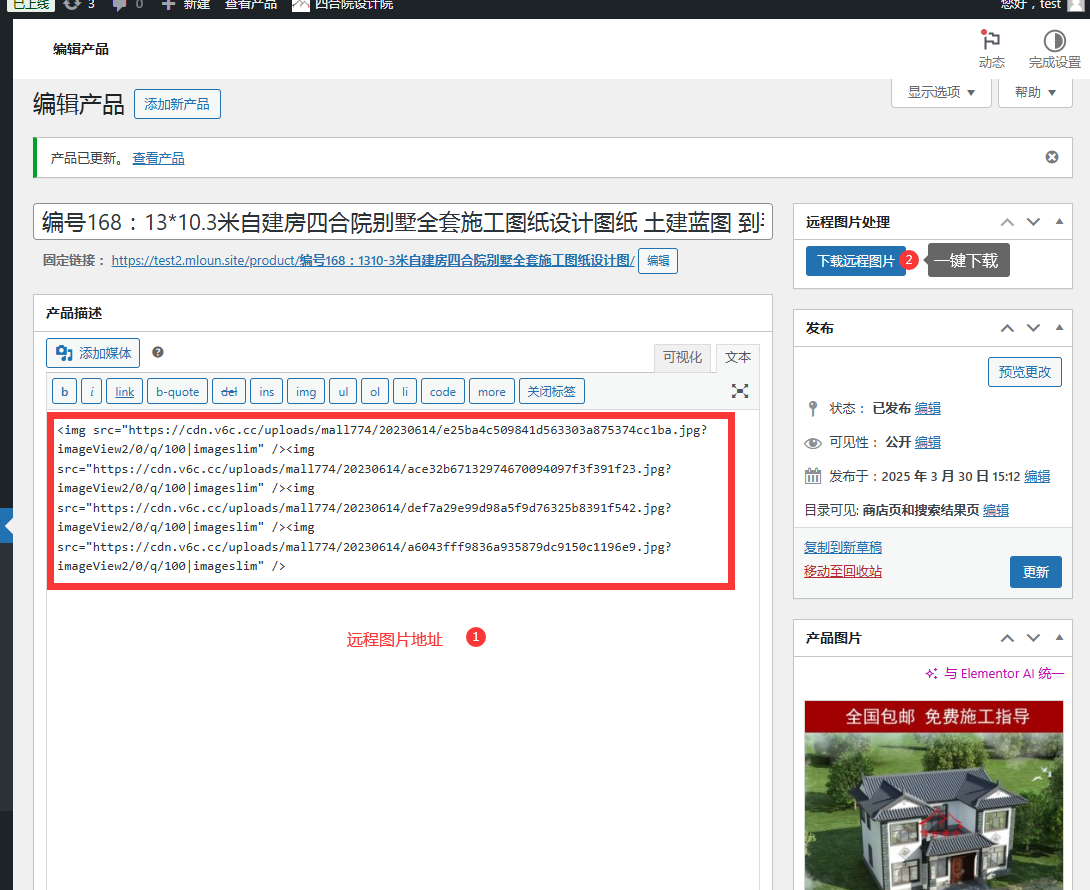
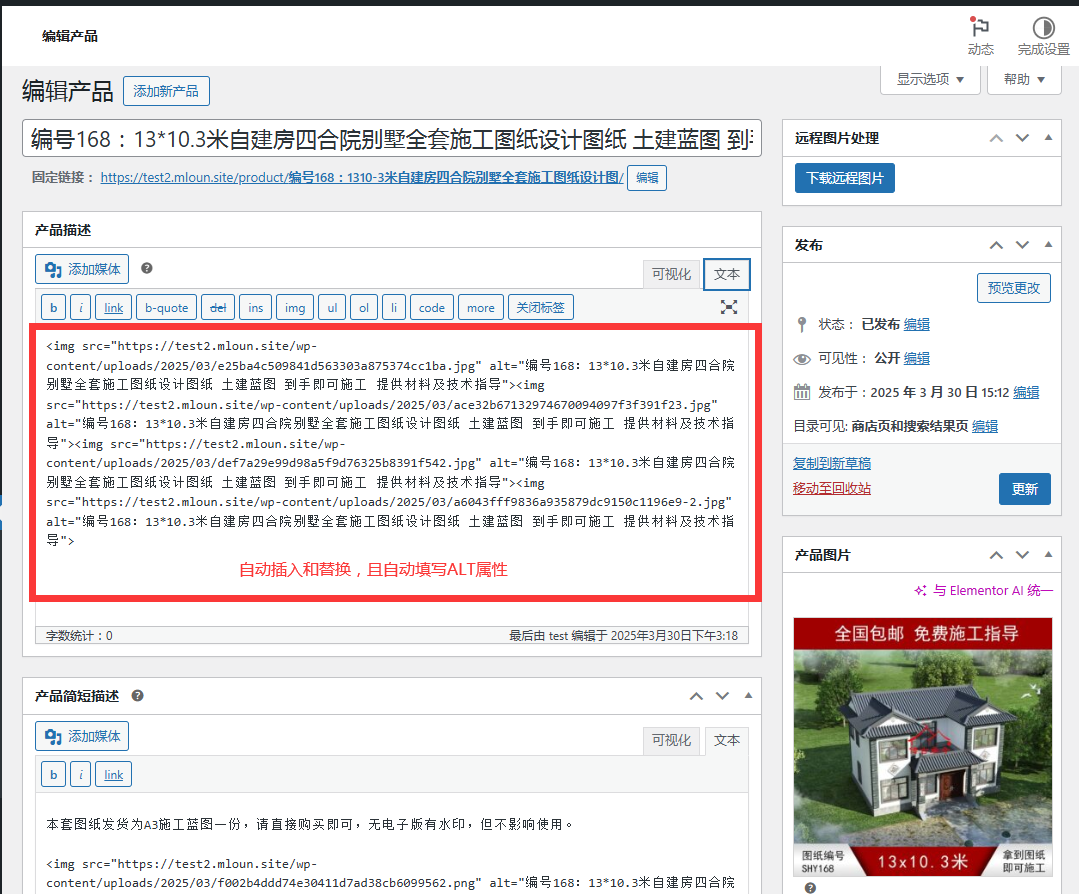
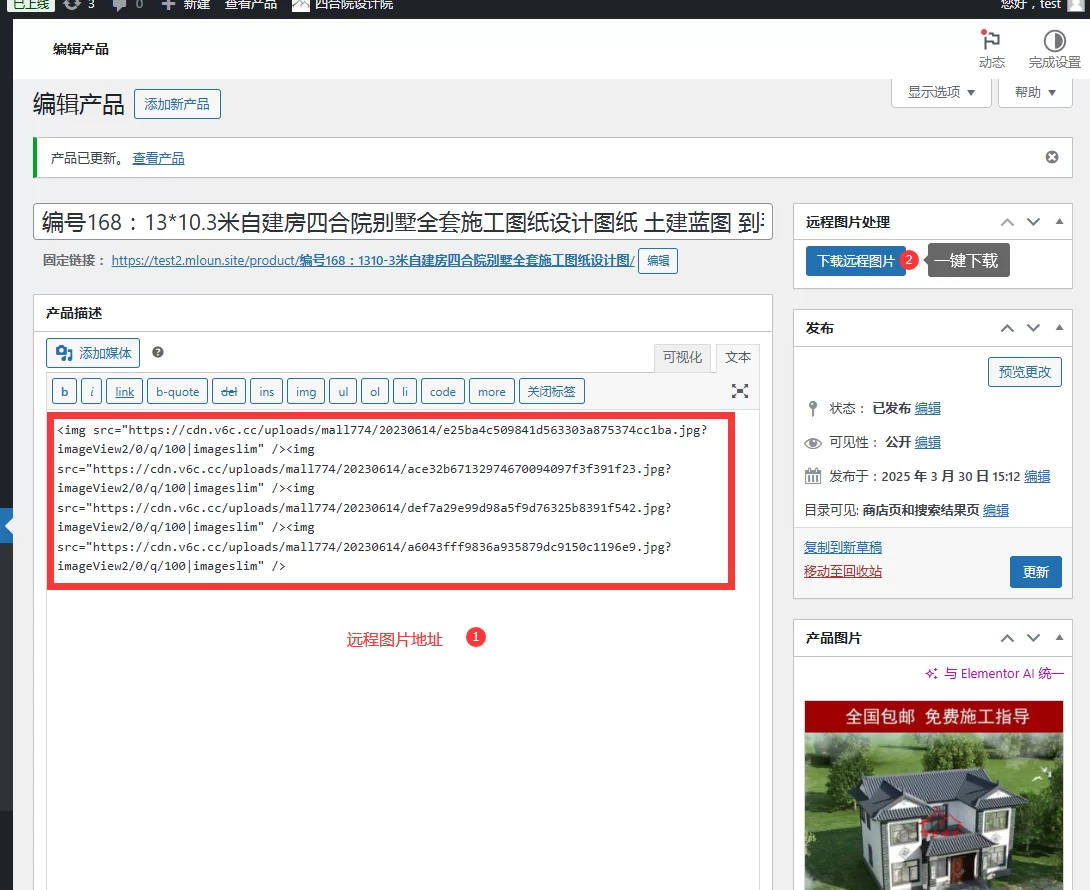
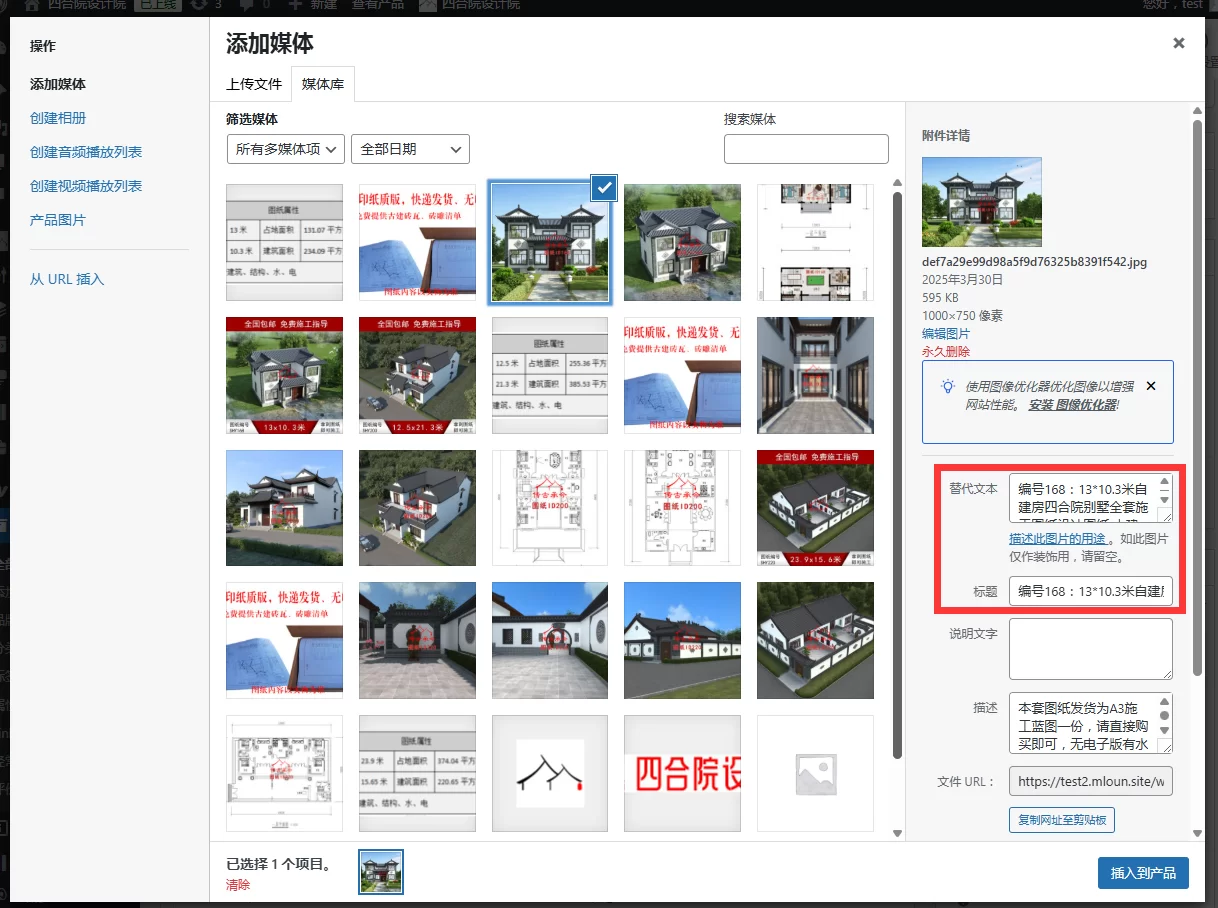
This WordPress plugin is specially designed for WooCommerce. Its main function is to automatically detect and download remote images in product content to the local server, and intelligently set the title and ALT attributes of the images.
Detailed function description
-
Remote image detection and download
-
Automatically scan all images in product content (including description, short description, and custom fields)
-
Intelligently identify externally hosted images (images not hosted on this site's domain)
-
Automatically download these remote images to the WordPress media library
-
-
Image attribute optimization
-
Automatically set the title of the downloaded image to the product name
-
Intelligently set the ALT attribute of the image (preferably retain the original ALT, if not, use the product name)
-
Maintain the image's original size and layout within the content
-
-
Content Updates
-
Automatically update all remote image links in product content to local links
-
Supports processing regular content, short descriptions, and Gutenberg block content
-
Keep all HTML attributes (class, style, etc.) of the original image
-
-
user interface
-
Added dedicated operation panel on product editing page
-
Provide one-touch operation button
-
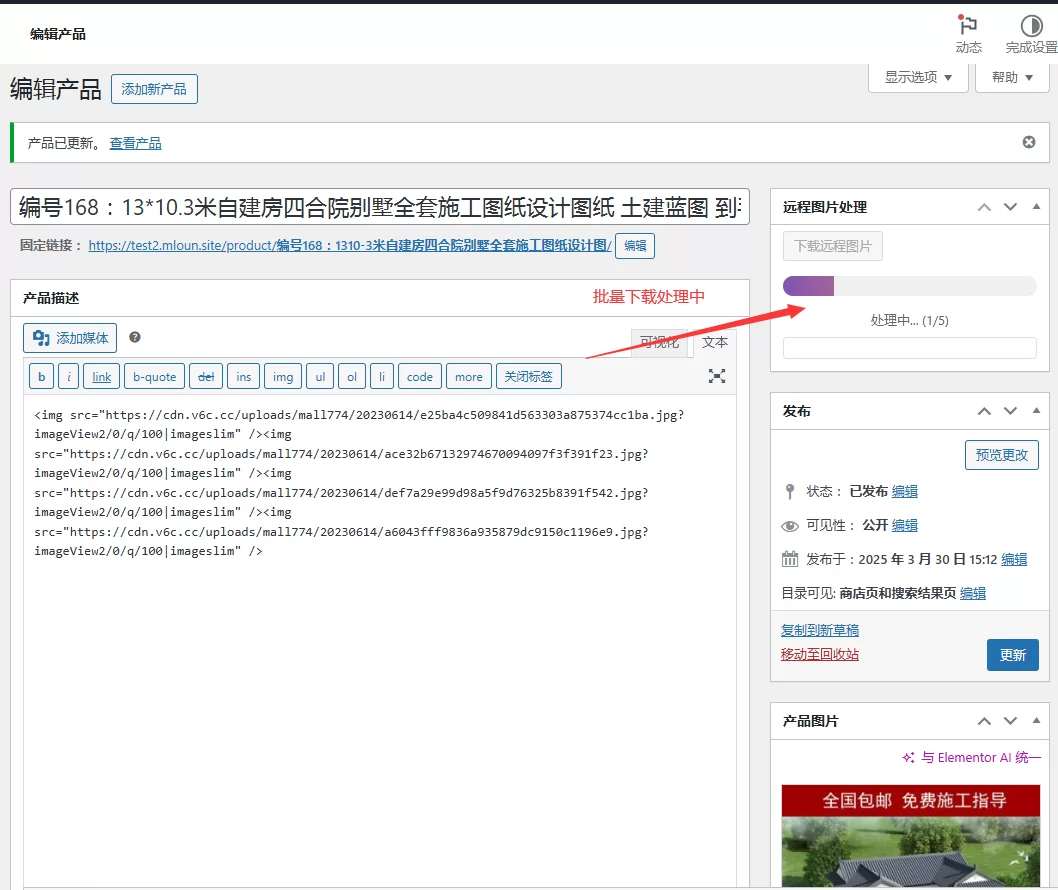
Display processing progress and status feedback
-
Error handling and message prompts
-
-
Technical Features
-
Uses the WordPress standard media handling API
-
Support large file processing and timeout control
-
Complete permission checking and security verification
-
AJAX asynchronous processing to avoid page freezes
-
Applicable Scenarios
-
Localize product images imported from third-party platforms
-
Fixed product display issues caused by invalid external images
-
Optimize SEO (with local images and correct ALT attributes)
-
Improve website loading speed (reduce external requests)
System requirements
-
WordPress 5.0+
-
WooCommerce plugins
-
PHP DOM extension

You must be logged in to post a review.
Theme/plugin installation method
Installation method one:
Directly upload the (theme/plug-in) zip package to the WordPress backend, install it and activate it.
[Theme installation method] Appearance-Theme-Add new theme-Upload theme zip package
[Plug-in installation method] Plug-in-Add new plug-in-Upload plug-in zip package
Installation method two:
FTP upload [theme] to the website root directory /wp-content/theme/ below
FTP upload [plug-in] to the website root directory /wp-content/plugins/ below
How to use Chinese documents
The default Chinese file is already included in the theme/plug-in file package. If there is an independent Chinese file, use the following method to upload it
FTP upload [theme Chinese file] to the root directory of the website under /wp-content/languages/themes
FTP upload [plug-in Chinese file] to the root directory of the website under /wp-content/languages/plugins
















Reviews
There are no reviews yet.