










Official Demo:Enter
Official price: $649,This site provides continuous new versions and Chinese updates
B2BKING regular functions
- For simple, changeable product settingsWholesale price (different prices for the same product).
- Group customers, and set different prices, discounts, or conditions for each group.
- Set different settings for each user or user grouppayment method.
- Set different settings for each user or user groupTransportation method.
- Easy configuration using dynamic rulesDiscount percentage(For example, wholesale buyers enjoy 10% discount on all products).
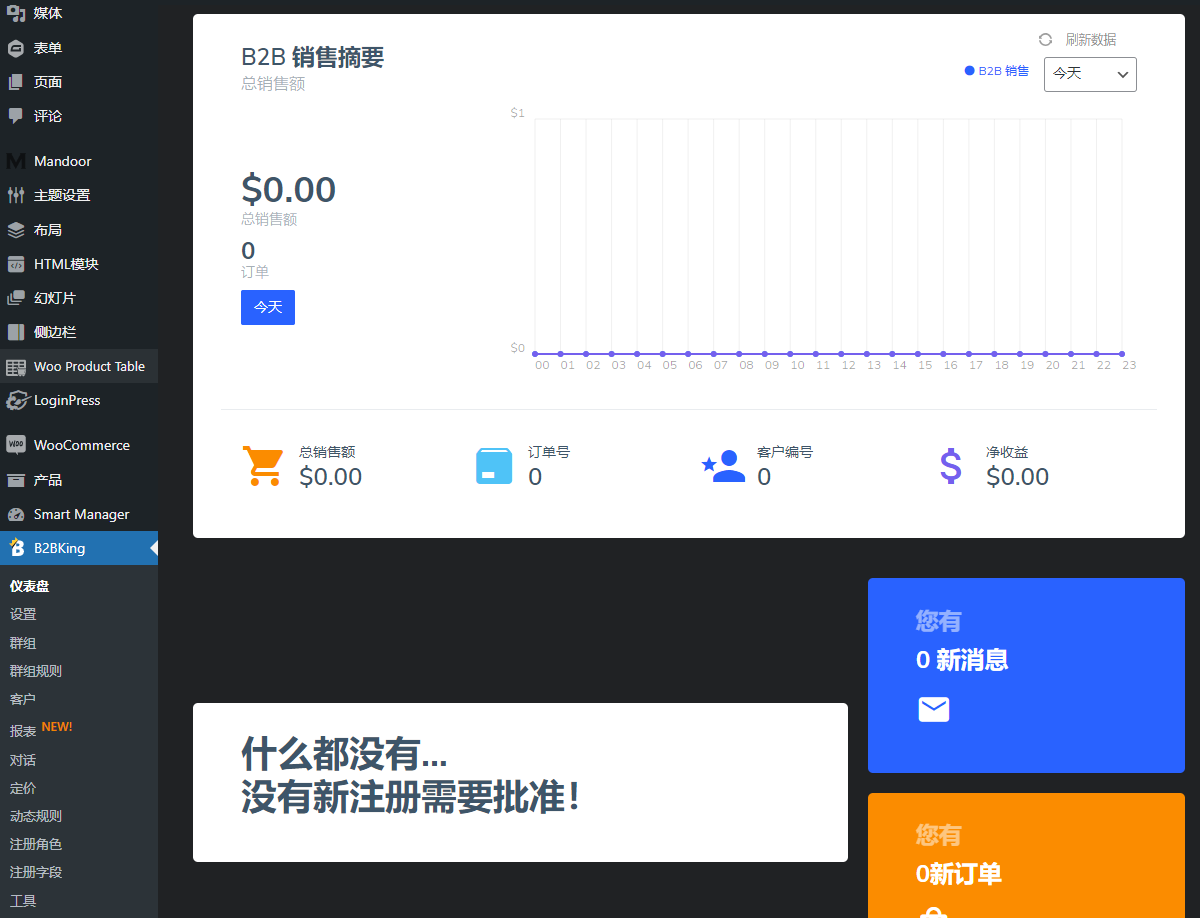
- CheckB2B/B2CReports from customers with data on total and net sales, orders placed, order values, refunds, coupons, and more.
- Works with any WooCommerce compatible theme
- Full translation available using Loco Translate or WPML
- Email notifications are sent when new customers require approval or when a customer account has been approved.


B2BKING Advanced Features
Business registration and custom fields
Through the enterprise registration function, you can configure complex registration forms for enterprise customers and provide 9 types of custom fields. You can set up automatic or manual approvals, review requests, and assign customers to specific groups with different pricing and order rules.
- Multiple registration options, manual or automatic approval
- 9 custom fields: text, drop-down, number, date, file upload, etc.
- Certain fields are required (e.g. a business license is required to register)
- Configure custom forms and add any fields (company name, VAT number, registration number, etc.)
- Fields can be added to billing and checkout forms
- B2B registration shortcode allows you to set up a dedicated registration page
- Optional: For EU countries, automatically verify VAT numbers (VIES)
wholesale order
- 3 stunning order themes: Cream, Indigo and Classic
- Fast AJAX search lets customers find products easily
- Search by product name or SKU
- Sort products alphabetically or by best seller status
- Shortcode allows you to configure and add it to any page
private store
- Hide price for logged out users
- Completely hide stores and products
- Requesting a logged out user to request a quote
- Only hide prices for specific products
Supports B2B and hybrid B2B + B2C websites
- Dedicated mode for B2B websites only
- Dedicated model for hybrid B2B + B2C websites
- In a hybrid website, business features and pricing are only visible to B2B users
- Can be added to existing B2C sites without impacting existing users
Invoice payment gateway
- Easily add an invoice payment gateway to your website
- Customers can place orders without paying immediately
- Compatible with popular PDF invoice plugins
- Enable invoice payments only for B2B customers
Tiered pricing
- Easily set different prices based on order quantity
- Automatically generate stunning tiered pricing tables
- Graded price lists adapt to any theme
- Animated graphics highlight current prices
Customized information sheet
- Custom tables allow you to display any custom information
- Display MSRP, shipping information, estimates, or any other relevant information
- There are different tables for each group and b2b/b2c users
Wholesale prices
- Show retail and wholesale prices to your business users
- Configure discount amount or percentage
- Set different prices directly for each user or group
Content restriction shortcode
- Use content shortcodes to hide specific content from certain user groups
- Display different order conditions, different product descriptions, etc.
- Apply group-specific CSS to achieve different designs for B2B and B2C users
Conversations and messaging
- Plugin adds conversation and messaging system for business users
- Users can send inquiries, quote requests, and message back and forth
- Can be used to negotiate prices, answer questions, and communicate well with corporate customers
- Automatic email notifications.
- Both users and stores can initiate conversations.
Quotation request
- Users can request customized quotes for specific products and quantities
- A quote request initiates a conversation where terms can be discussed
- You can respond to a quote request with an offer available for purchase (more information in the Offers section)
- 9 types of custom quotation fields can be configured
duty free
- Show prices excluding tax to B2B users and prices including tax to B2C users
- Eliminate taxes only for specific user groups
- Tax-free only for certain countries/regions
- Option to cancel tax based on VIES verified VAT number
Product Visibility Control
- Hide specific products or categories
- Hide items in user groups
- Hide items from individual users (by username)
Purchasing List
- Save purchase lists for later use (e.g. requisition lists)
- Add list to cart and save order as list
- A list of each user appears in the My Account panel
Offers & Bundles
- Send promotional offers with special prices and discounts
- Respond to quote requests with specialized quotes
- Negotiate prices and offer specials on every item
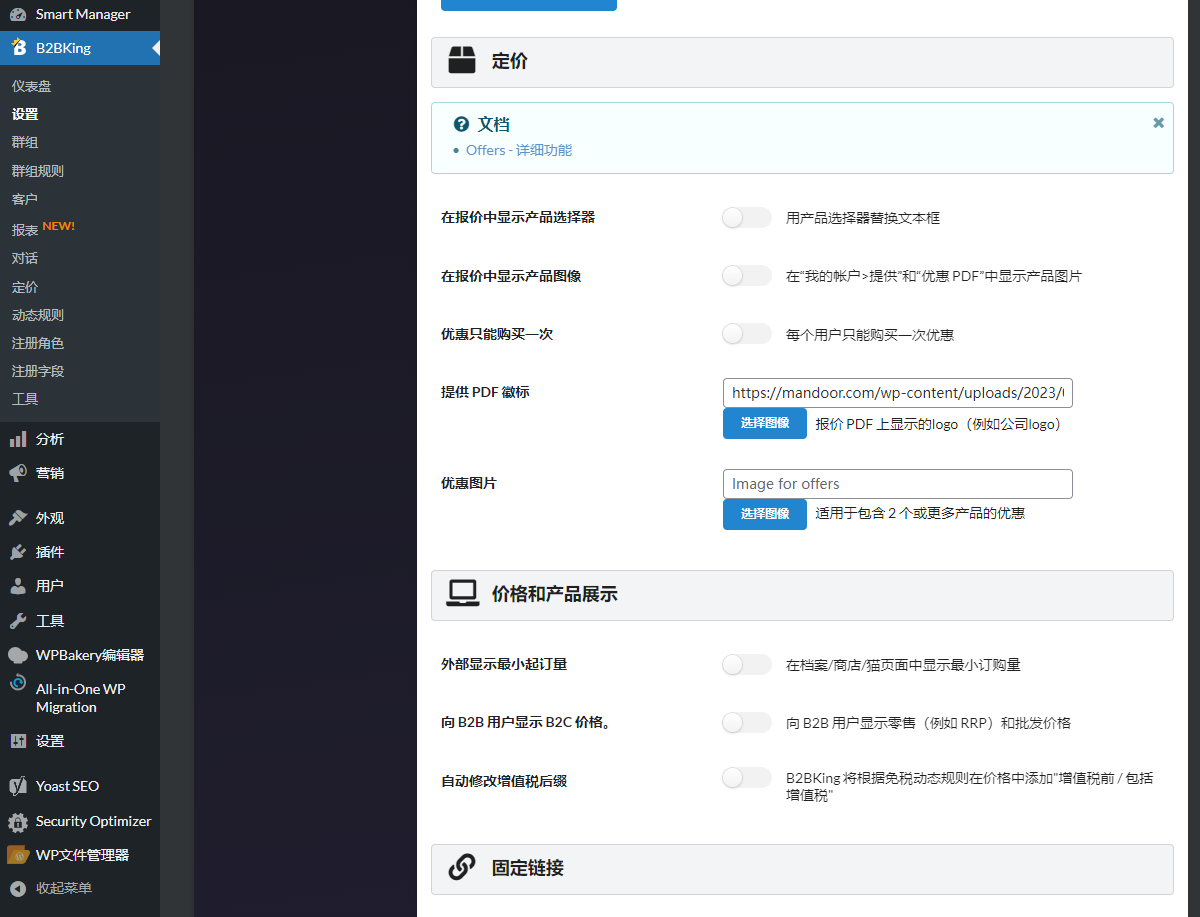
- Send your quote as a branded PDF with your company logo
- Send quote via email
Minimum and maximum order rules
- Configure minimum and maximum order quantity or value
- Can be configured for an entire order, a specific category, or a specific product
- Can be configured for specific users or groups (e.g. B2C minimum order = $50, B2B minimum order = $1000)
Free shipping rules
- Offer free shipping on select products
- Set up free shipping based on order value
- Set different free shipping for B2B and B2C (e.g. B2C = $200 free shipping threshold, B2B = $2000)
CSV import and export tool for pricing
- Easily configure prices in bulk with our dedicated price import tool
- Configure wholesale prices and tiered prices for B2C and B2B
- Integrate with WooCommerce import tool
Packaging/box/carton quantity rules
- Configure the "package" quantity for each product
- Quantity multiples will be automatically enforced.
- For example, if the product's multiplier is set to 6, the quantity will become 6, 12, 18, etc.
Place orders quickly via CSV upload
- Easily add products to your cart in bulk via CSV upload
- Enter SKU and product quantity in CSV file
B2B & B2C coupon usage restrictions
- Only allow B2B, specific user groups or B2C users to use specific coupons
Purchase Order Gateway
- Add purchase order gateway
- Customer enters their PO number at checkout
- Can only be enabled for B2B users
Separate inventory for B2B and B2C
- You can configure different stock quantities for each product for B2B and B2C users
- You can hide inventory information for B2C users and show exact quantities only to B2B users
- Products for B2B users can always be in stock
- Enable backordering only for B2B users
Sub-accounts and employee accounts
- Each business account can create sub-accounts (e.g. employee accounts)
- The parent account can configure the name, account details and permissions of the sub-account
- Multiple company accounts can collaborate on conversations, orders, or purchase lists
- The parent account can view sub-account orders, lists, etc.
Company order approval
- When a staff account places an order, the order is sent to the parent account for approval
- Parent accounts can choose whether to enable or disable approvals
- Parent account can approve or deny employee orders
- The parent account can pay for sub-account orders
customer specific pricing
- You can set prices for specific products and specific individual users (via username).
- With wholesale pricing, you can also configure prices for entire user groups or group discounts
customs taxes
- You can add and configure custom taxes through rules
- These can only be applied to specific users or user groups
Payment Methods Minimum and Maximum Orders
- Set minimum or maximum value or quantity for each payment method
- For example, B2C can use cash on delivery up to $500, B2B can use cash on delivery up to $2,000
- For example, bank transfer is only available for orders over $2000
Customer segment rules
- Automatically promote users across groups when they reach specific goals
- For example, when a user orders more than $100,000, you can move them from "Normal Group (5%) Discount" to "VIP Group (10% Discount)"
Payment method discounts and surcharges
- Configure discounts or surcharges for paying with certain methods
- For example, configure the surcharge (markup) of 5% when paying with PayPal
- For example, provide B2B users with a discount of 10% when paying with credit card
Complex dynamic rules
- Rules can be set for specific products, categories, users and groups
- Hide price rules
- Buy X Get 1 Free Rules
- No purchase rule
- Set currency rules
- Price increase rules
- More choices
Powerful add-ons
- company credit——Provide credit lines to your business users
- Dokan – Enable B2B and wholesale for Dokan multi-vendor marketplace
- WCFM – Enable B2B and wholesale for WCFM multi-vendor marketplace
Powerful integration
- SalesKing – Powerful sales representative and sales agent plugin – agents can place orders on behalf of your B2B customers
- MarketKing – Powerful multi-vendor marketplace plugin – Build WooCommerce B2B marketplace using B2BKing and MarketKing
3 reviews for Woocommerce 批发零售B2BKING
You must be logged in to post a review.
Theme/plugin installation method
Installation method one:
Directly upload the (theme/plug-in) zip package to the WordPress backend, install it and activate it.
[Theme installation method] Appearance-Theme-Add new theme-Upload theme zip package
[Plug-in installation method] Plug-in-Add new plug-in-Upload plug-in zip package
Installation method two:
FTP upload [theme] to the website root directory /wp-content/theme/ below
FTP upload [plug-in] to the website root directory /wp-content/plugins/ below
How to use Chinese documents
The default Chinese file is already included in the theme/plug-in file package. If there is an independent Chinese file, use the following method to upload it
FTP upload [theme Chinese file] to the root directory of the website under /wp-content/languages/themes
FTP upload [plug-in Chinese file] to the root directory of the website under /wp-content/languages/plugins

























There are 100 million (verified owner) –
It is highly customizable and can meet the B2B sales requirements of a variety of different industries and needs.
caribbean 55 (verified owner) –
B2BKing has Chinese version to help us get started quickly
Add 55 (verified owner) –
It has powerful functions, and with the Chinese translation, I finally feel less tired.