











Official Demo:Enter
Official price: $32/year,This site provides continuous new versions and Chinese updates


Features
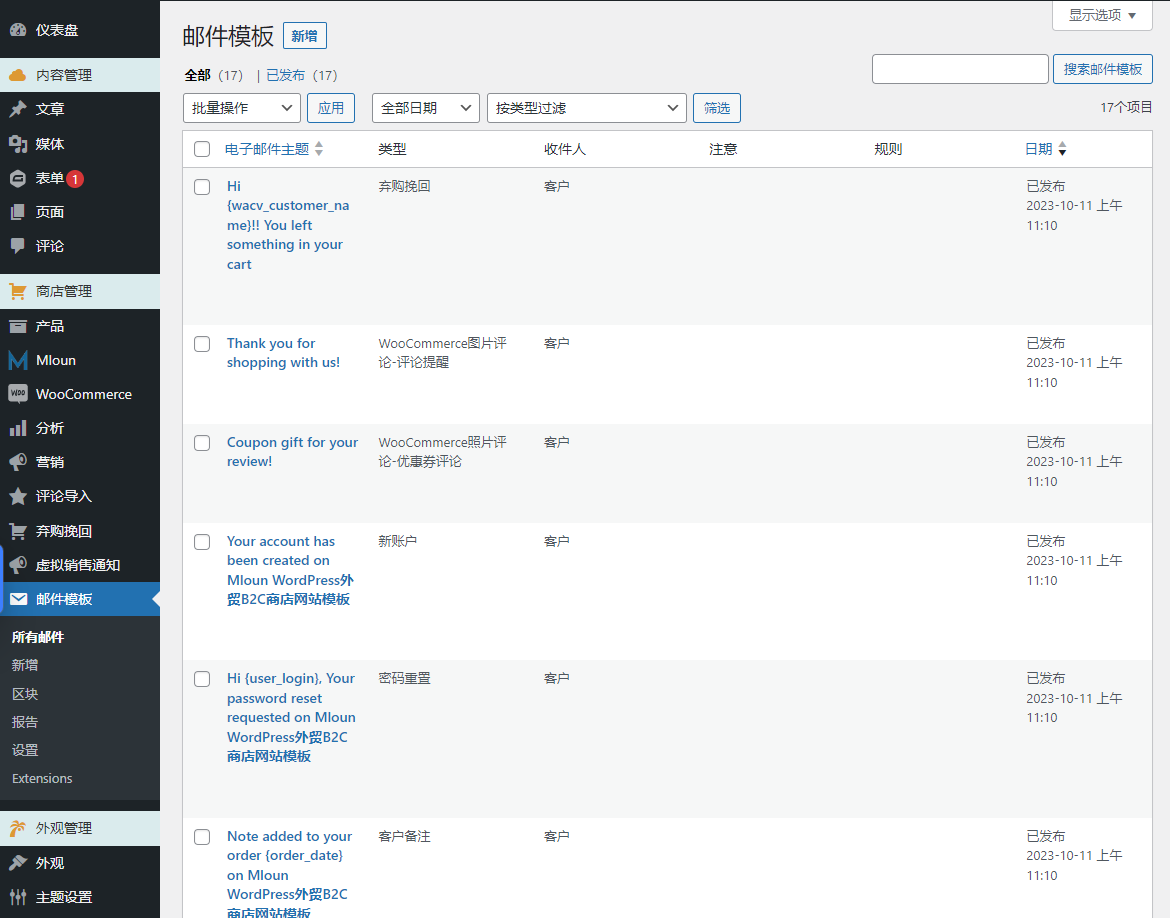
- Create and customize any number of WooCommerce emails using multiple provided elements.
- Drag and drop to change the position of elements on the template
- Set rules that apply to each template. You have 2 templates with "Order Processing" status, one that is sent when a customer orders a product of a certain category, and another that is sent when the customer's subtotal reaches the maximum or minimum you set.
- Send email with attachments
- Send a test email before actually sending it.
- Preview emails before sending using desktop and mobile versions
- Choose a direction. This feature is useful when you switch between languages via LTR or RTL direction
- Import and export the template to another site that also has the plugin installed and activated.
- Create customizable blocks and add them to any template
- Responsive points help display designed templates on any device
- Report showing the number of times customers clicked and ordered a suggested product
basic element module
The plugin provides basic elements you can use to customize WooCommerce emails:
- text: Add content with text elements to your template and customize the elements with: text color, font size, alignment, border width, insert/edit link, insert/edit image, shortcode, info icon, social Icon, border style, border color, background color, text padding and text margins.
- divider: Add a single line separator to the template and select the style of the separator. Similar to text, administrators can customize the style, width, height, color, alignment, margins, and padding of dividers.
- social contact: Add social icons to customize WooCommerce emails, entering your URL links in the placeholders.
- image: Add an image to an email template and adjust its size and alignment, border style, border color, background color, text padding and text margins.
- Button:Add and customize buttons: name, link to button, border style, alignment, background and padding.
- Menu Bar:Add and customize a menu bar or named navigation bar with links to the most important parts of your website, such as home, shop, contact…
- Contact person:Display contact information with icons in email templates.
- Spacer: Add space between elements and customize their height, style and color of borders and background color.
WooCommerce elements
- Order details:This element displays the complete details of the order and customizes the color, size, and alignment of the title and details respectively. Additionally, borders, background color, padding, and margins can be customized.
- Order total:This element displays the order total. Administrators can individually customize the color, size, and alignment of titles and details, as well as borders, background color, padding, and margins.
- Order subtotal:This element helps you display specific components of your order: orders including subtotals, discounts, shipping, payment methods, and full refunds… You can then customize the color, size, and alignment of the header and details individually. Additionally, borders, background color, padding, and margins can be customized.
- Transportation method: This element helps you display shipping methods and you can customize the border, background color, padding and margins.
- payment method:This element helps you display the payment method of your order and you can customize the border, background color, padding and margins.
- Billing Address: Display billing details in emails and customize the color, size, and alignment of header and details separately. Additionally, borders, background color, padding, and margins can be customized.
- Shipping Address: Display shipping details in emails and customize the color, size and alignment of title and details separately as well as borders, background color, padding and margins.
- product:Helps you recommend some products and redirect customers to individual product pages in your store when they click on a specific recommended product
- coupon: Helps you display coupons earned by your customers. Customers can then copy the coupon code and apply it to their order.
- Post:Helps you customize WooCommerce emails with posts and then redirect customers to those posts in your store when they click on the posts in the email.
Support WC Hook hook
Customize WooCommerce emails with the WC Hook Element, which allows you to insert content from a third plugin wherever the hook runs.
WooCommerce Advanced Options Elements
also,WooCommerce Email Template CustomizerThere are also advanced options integrated that allow you to set rules and send emails when an order matches the rules. For example, you want to send a current email template – Shoes category to customers in the United States if an order reaches a certain amount. By setting up rules, you can manage the emails that are sent to each customer group as needed.
- Billing country: Select the country/region where the email template will be applied.
- category: Select the category to which you want to apply the email template.
- Minimum order: Send the email template to orders that reach this minimum amount.
- Maximum order: Send this email template to orders up to this minimum amount.
- Rule priority: Useful if you have 2 or more templates with the same rule settings
Advanced options allow admins to not only set rules, but also select the email type, change the direction (this option is helpful when you use RTL languages), preview on different devices, send test emails, and add comments to the template .
3 reviews for woocommerce 邮件自定义模板
You must be logged in to post a review.
Theme/plugin installation method
Installation method one:
Directly upload the (theme/plug-in) zip package to the WordPress backend, install it and activate it.
[Theme installation method] Appearance-Theme-Add new theme-Upload theme zip package
[Plug-in installation method] Plug-in-Add new plug-in-Upload plug-in zip package
Installation method two:
FTP upload [theme] to the website root directory /wp-content/theme/ below
FTP upload [plug-in] to the website root directory /wp-content/plugins/ below
How to use Chinese documents
The default Chinese file is already included in the theme/plug-in file package. If there is an independent Chinese file, use the following method to upload it
FTP upload [theme Chinese file] to the root directory of the website under /wp-content/languages/themes
FTP upload [plug-in Chinese file] to the root directory of the website under /wp-content/languages/plugins




























ice change (verified owner) –
Easy to use and powerful, you can also drag and drop
metal beauty (verified owner) –
Everything works fine. Some of them are not translated, which does not affect the use.
hani (verified owner) –
Good