Blog
One-click installation of WordPress from Cpanel

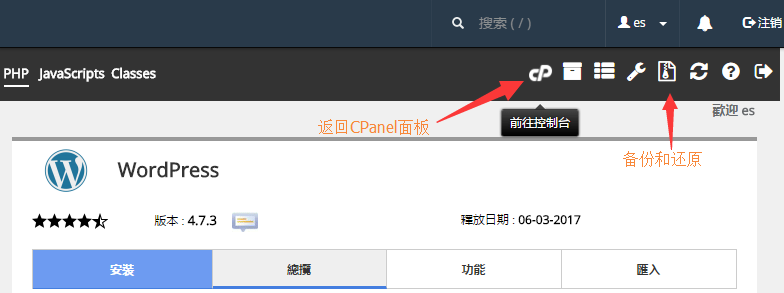
The cpanel panel has already integrated a lot of the latest foreign mainstream website installation packages, which can be easily installed, backed up, upgraded or automatically upgraded with one click, so how to install WordPress or other website programs with one click? Proceed as follows:
1. Log in to the background of the cpanel panel, find the software - Softaculous Apps Installer, enter, as shown below
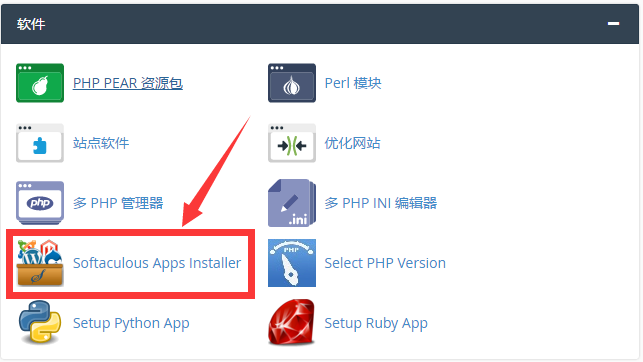
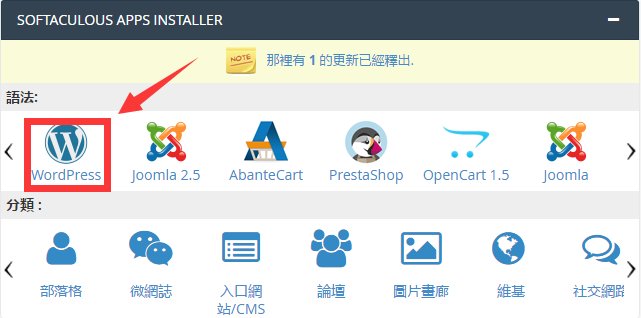
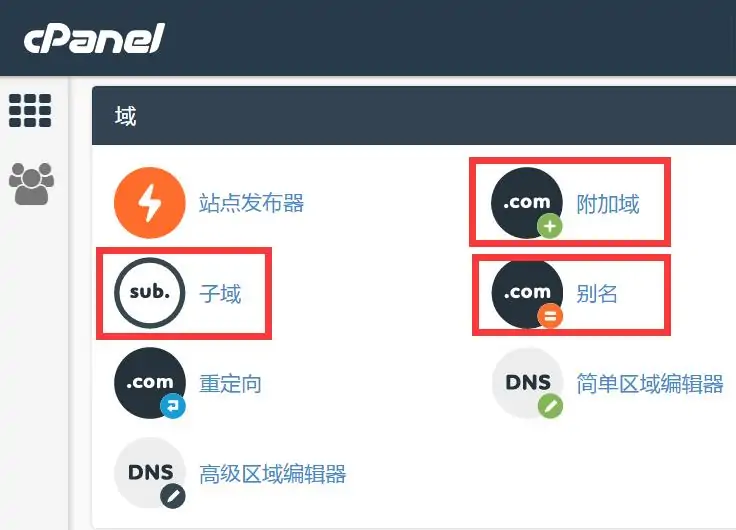
2. Select the wordpress program, click the installation tab, and select the domain name that has been bound (the domain name must be bound in advance, and can be bound through additional domains and subdomains)
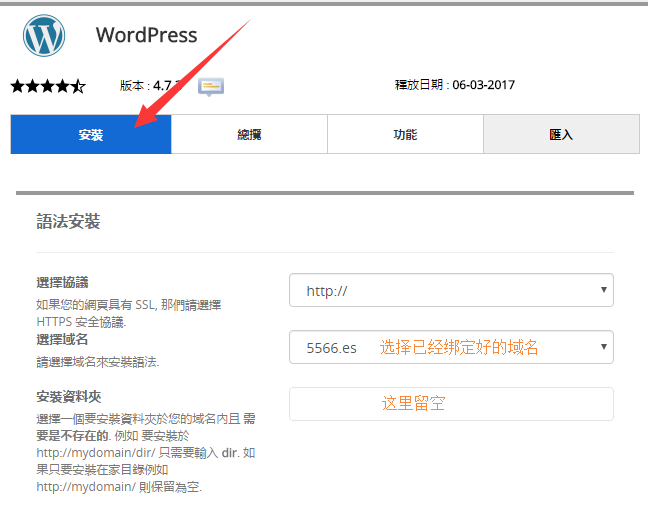
Then click install and you're done.
So how to upgrade, backup and delete with one click, as shown in the figure below
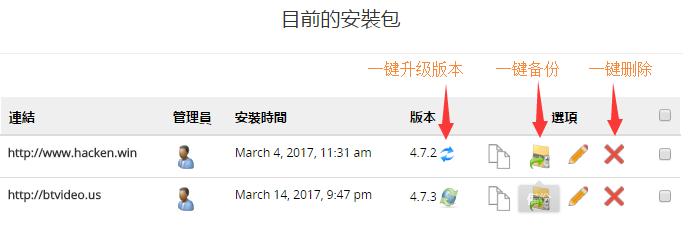
Let's talk about how to return to the cpanel panel, look at the menu options in the upper right corner, isn't it very convenient? The same method is used for other website programs.