





Blog
How to change language in cpanel panel
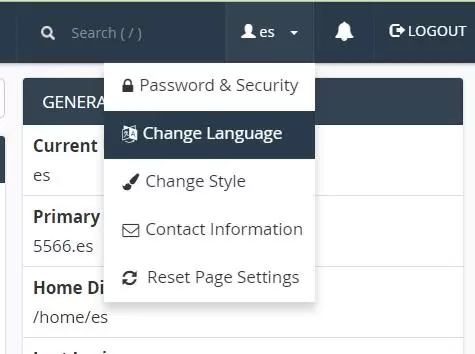
The cpanel panel supports multiple languages. Sometimes after the host is activated, the default is English, which needs to be set.
First, log in to the background of the cpanel panel, then look at the little man in the upper right corner, click on it, select Chang Language, and then select the language you want to save.
Related Posts
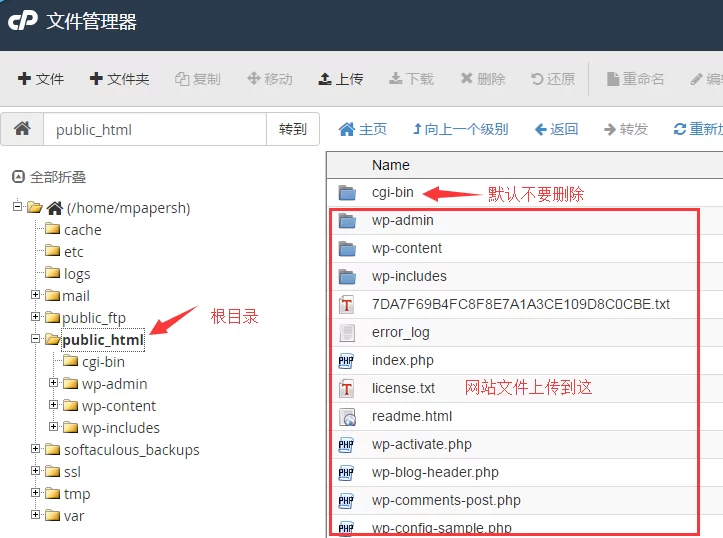
Using Cpanel File Manager
The cpanel panel file manager is very powerful, and basically has the functions of the local computer. First, log in to the cpanel panel, find the file manager, and enter the file manager panel as shown below. It should be noted that the root directory of the website is public_html, and other systems Do not delete the file, double-click to enter the directory cgi-bin...

How cpanel configures the database
Cpanel configuration database steps: 1. Log in to the cpanel background panel, find the database column - MySQL database, as shown below 2. Create a database, such as es_shu 3. Create a database user, such as es_yonghu, and password &nb...

One-click installation of WordPress from Cpanel
The cpanel panel has integrated many latest foreign mainstream website installation packages, which can be easily one-click installation, one-click backup, one-click upgrade or set up automatic upgrade, so how to install WordPress or other website programs with one click? The steps are as follows: 1. Log in to the background of the cpanel panel and find the software-Softaculous Apps Ins...
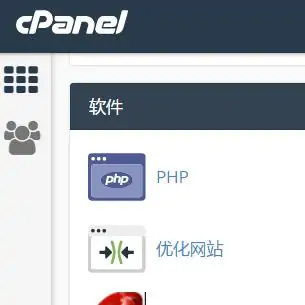
How to enable Gzip compression of web pages in cpanel panel
cpanel enables webpage compression, which can increase the opening speed of webpages. Generally, the compression ratio can reach 70%, which is very beneficial. After Gzip compression, the opening speed of the website will be improved to a certain extent, but it will not be obvious in general. The main reasons lie in several points: 1. Website structure. If the page structure of your website is too large, causing too much code content to be loaded when the page is opened, it will...
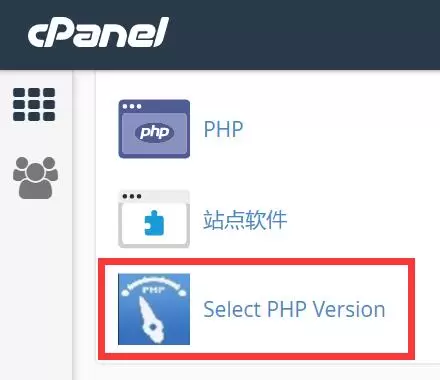
How does Cpanel modify the PHP version version
The host of the CPanel panel can choose the PHP version by itself. How to modify the PHP version? How to modify PHP.INI? First log in to the panel, find Select PHP Version, select the version you want as follows, and click Set as current to modify PHP...
How to build multiple websites in CPanel panel
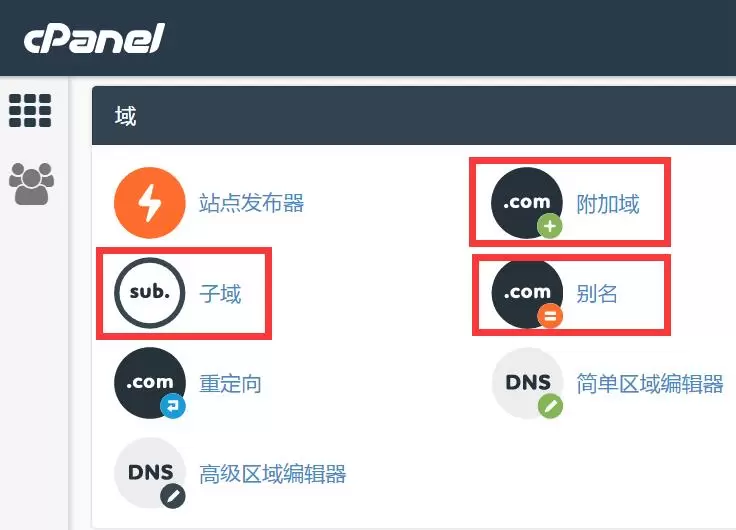
The CPanel panel supports the establishment of multiple websites, the types of additional domains are as follows: Independent directory building top-level domain websites, such as: www.aaa.com website, www.bbb.com website, www.ccc.com website Subdomain: Independent directory building website Second-level domain name websites, such as: already bound aaa.com website, you can build...