Blog
Using Cpanel File Manager
The cpanel panel file manager is very powerful, and basically has the functions of the local computer
First log in to the cpanel panel and find the file manager, as shown below

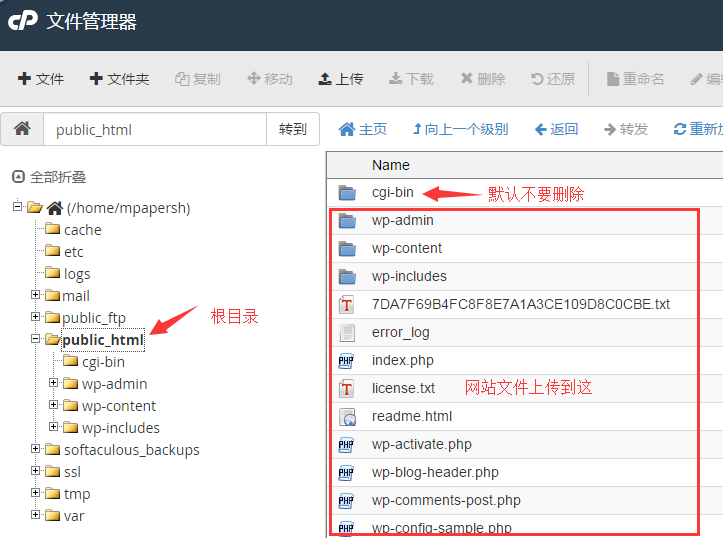
Enter the file manager panel, it should be noted that the root directory of the website is public_html, do not delete other system files, double-click to enter the directory

The cgi-bin folder is also a system file, do not delete it, just upload the website file to the public_html/ directory.
cpanel function description:

Extraction: decompression, only supports zip decompression, does not support rar
Compression: Select a file or multiple files, and then click Compress
Upload: Enter the location to be uploaded, and then click Upload, a new window will open to upload the file. After uploading, return to the original file manager page, refresh to see the file.