










Official Demo:Enter
Official price: $34/year,This site provides continuous new versions and Chinese updates
WooCommerce Multi Currency Official Tutorial
What isWooCommerce Multi-Currency?
If you own a WooCommerce store,WooCommerce Multi CurrencyPlugins are a must for you. WooCommerce Multi CurrencyAllow your customers to switch between multiple currencies and accept payments in multiple currencies. Exchange rates can be set manually or automatically. The plugin automatically detects the customer's location and displays prices in their local currency.
Important Note:
CURCY – WooCommerce Multi CurrencySupports using WP's conditional tags to display the currency column on certain specified pages.
To handle WP conditional tags, this plugin useseval(), which is very dangerous as it allows the execution of arbitrary PHP code. Therefore, please only fill in this field using correct conditional tags that have been validated and/or provided by trusted developers.
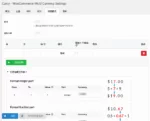
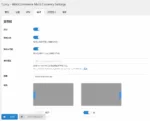
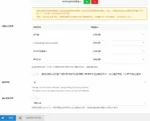
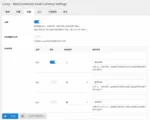
Chinese screenshots
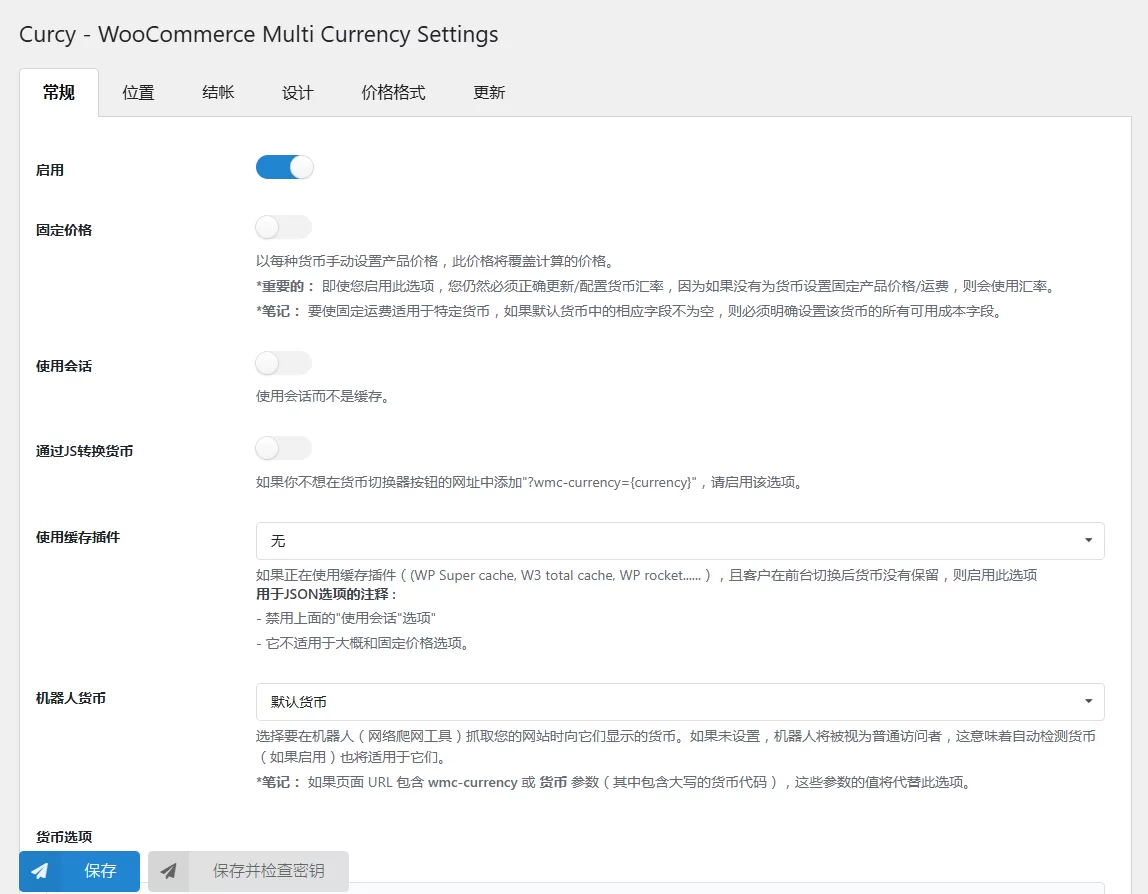
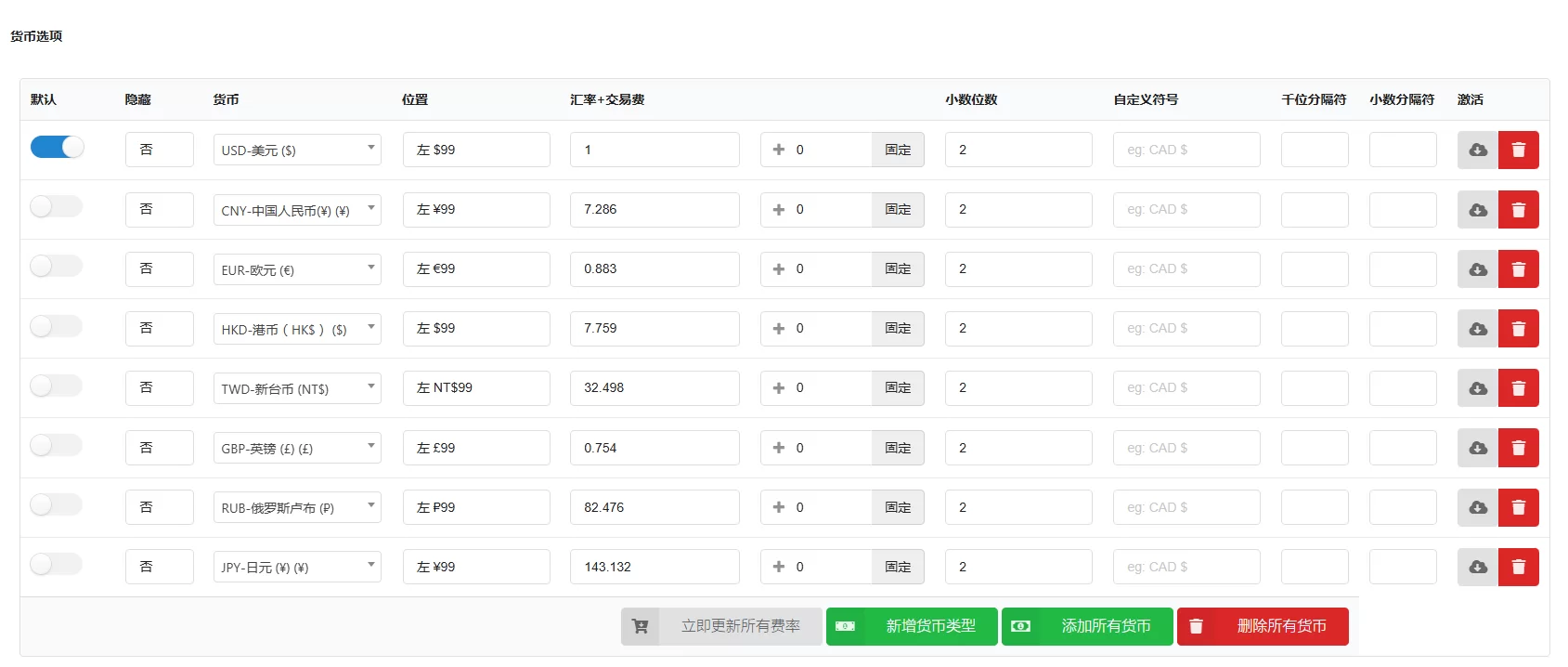
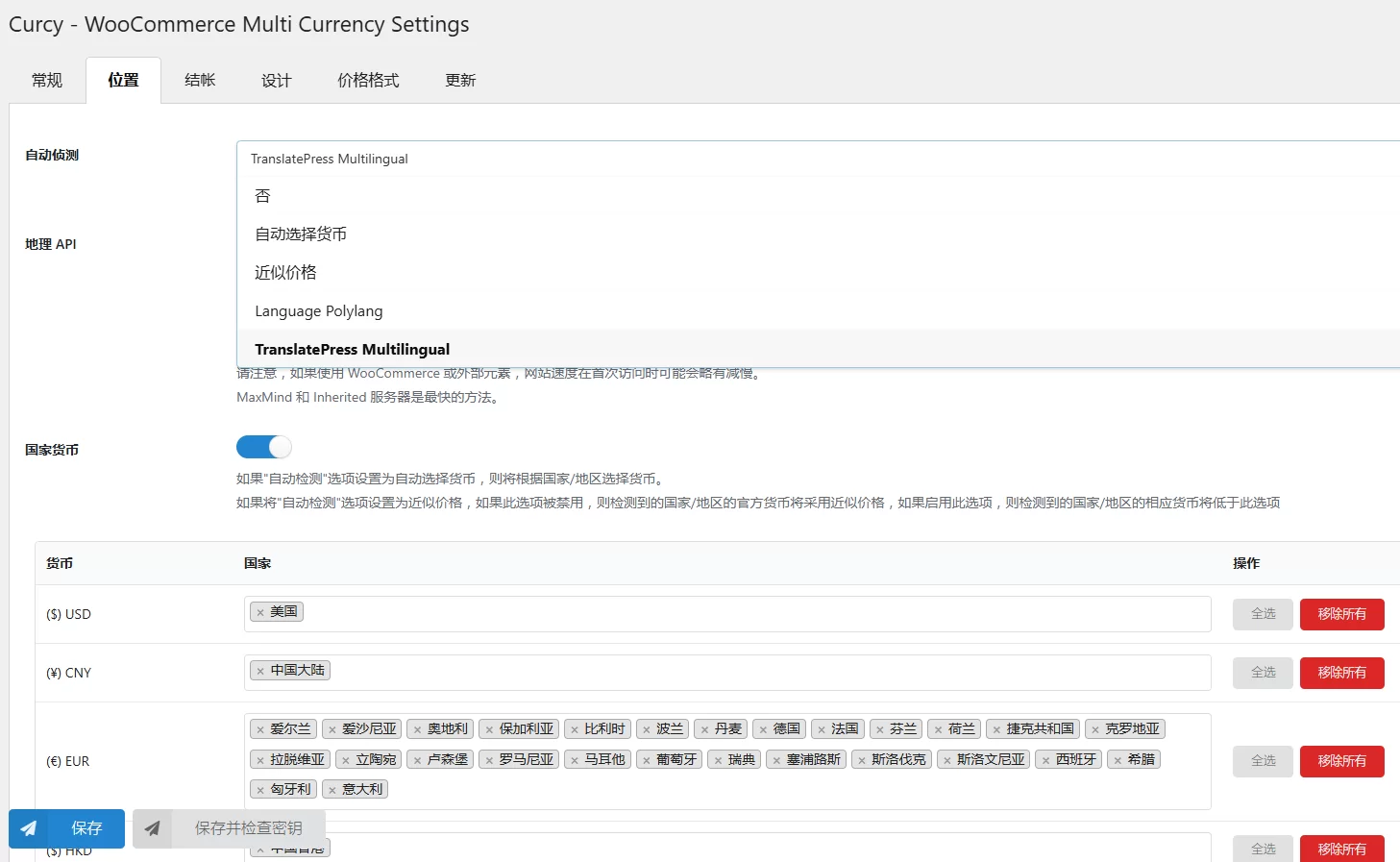

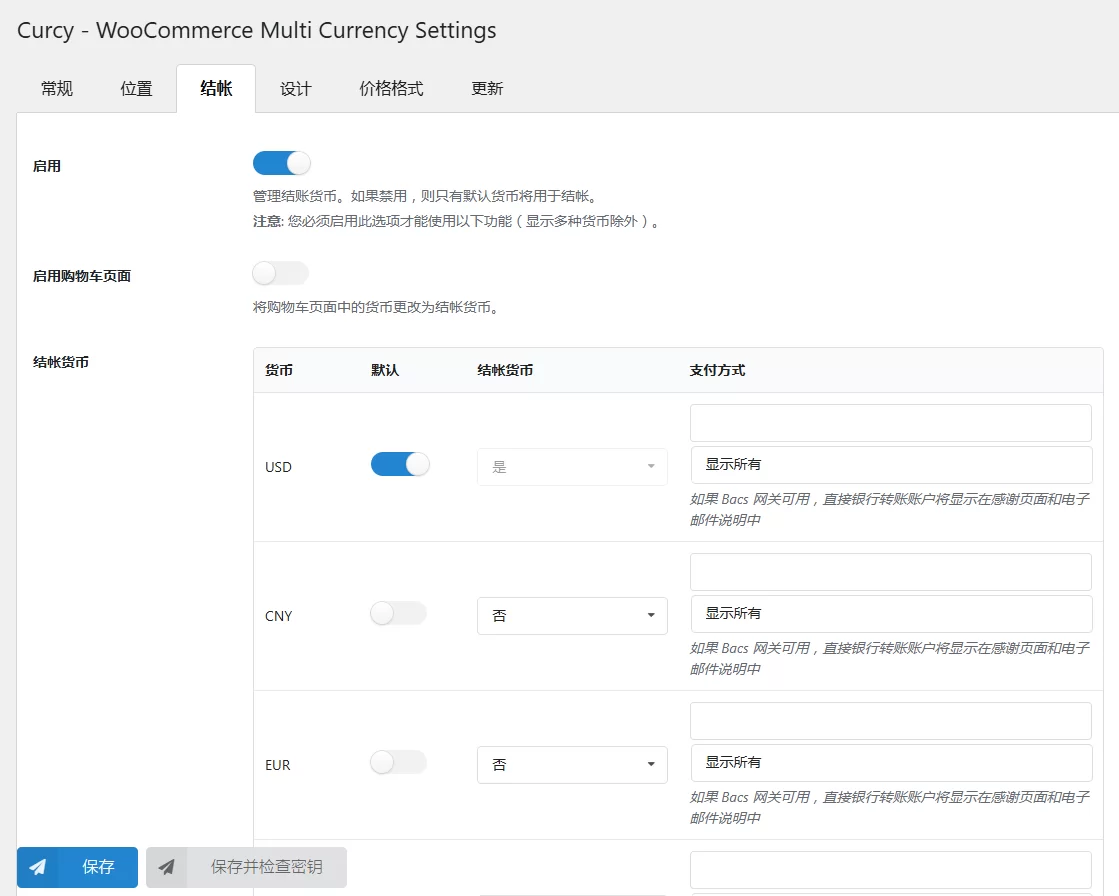
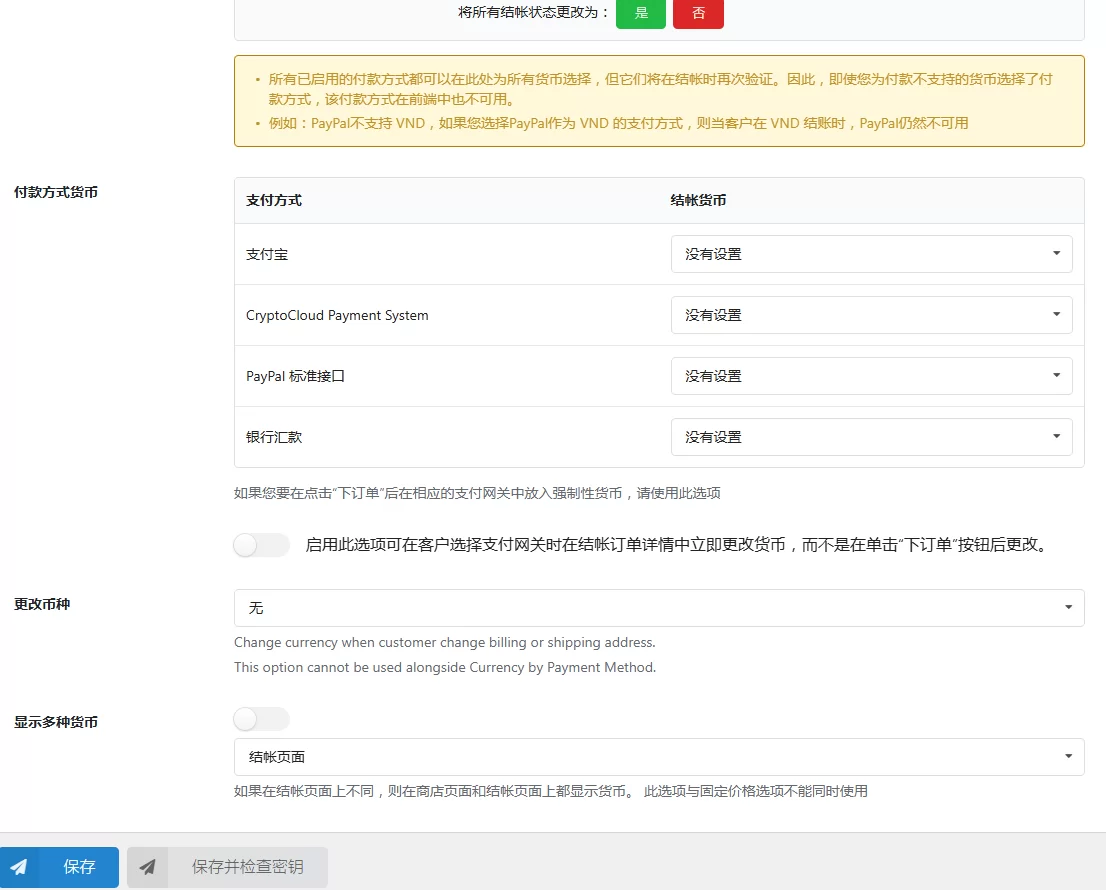
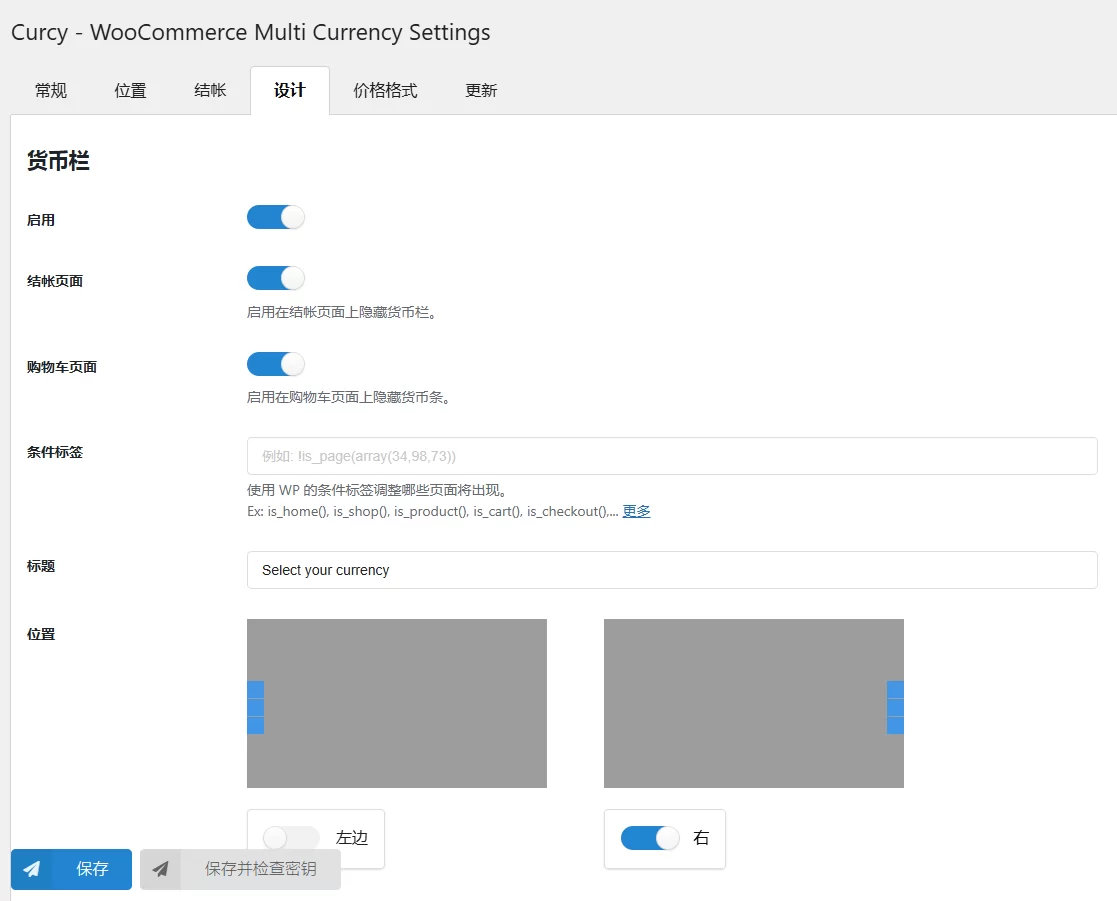
With WooCommerce Multicurrency, you can:
- Let customers see product prices in different currencies: Use a currency column (managed in the Design tab), a currency price converter (managed in the General tab), or a shortcode to let customers switch currencies.
- To set a fixed price:WooCommerce Multi-Currency FeaturesAllows you to add fixed prices in different currencies to your product prices. The fixed price will override the price calculated by the exchange rate.
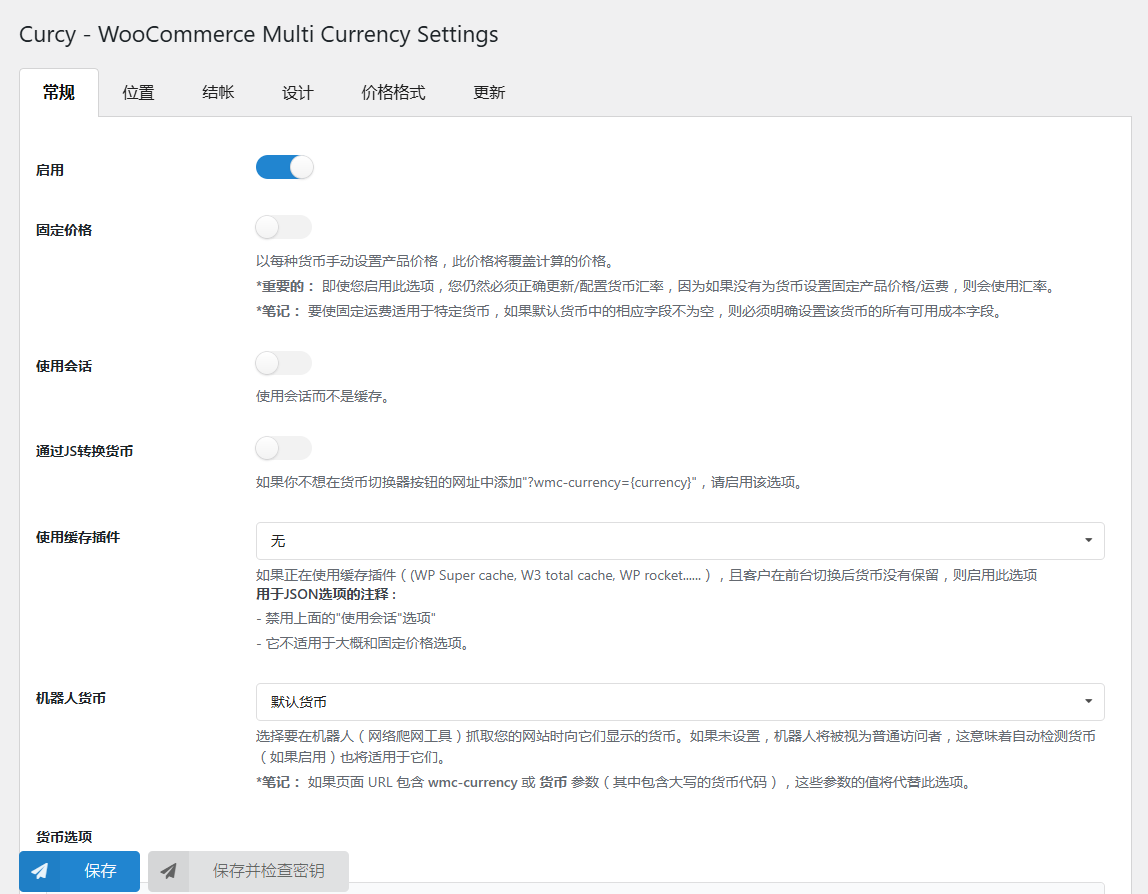
- Use Session: By enabling this option, the plugin will use sessions instead of cookies to save the selected currency.
- Set custom currency symbol: You can add a custom currency symbol. For example, the US dollar can be displayed as USD, US$, $, etc.
- Hidden Currency:WooCommerce Multi-CurrencyAllows you to hide currencies that you don't want to display on the front end.
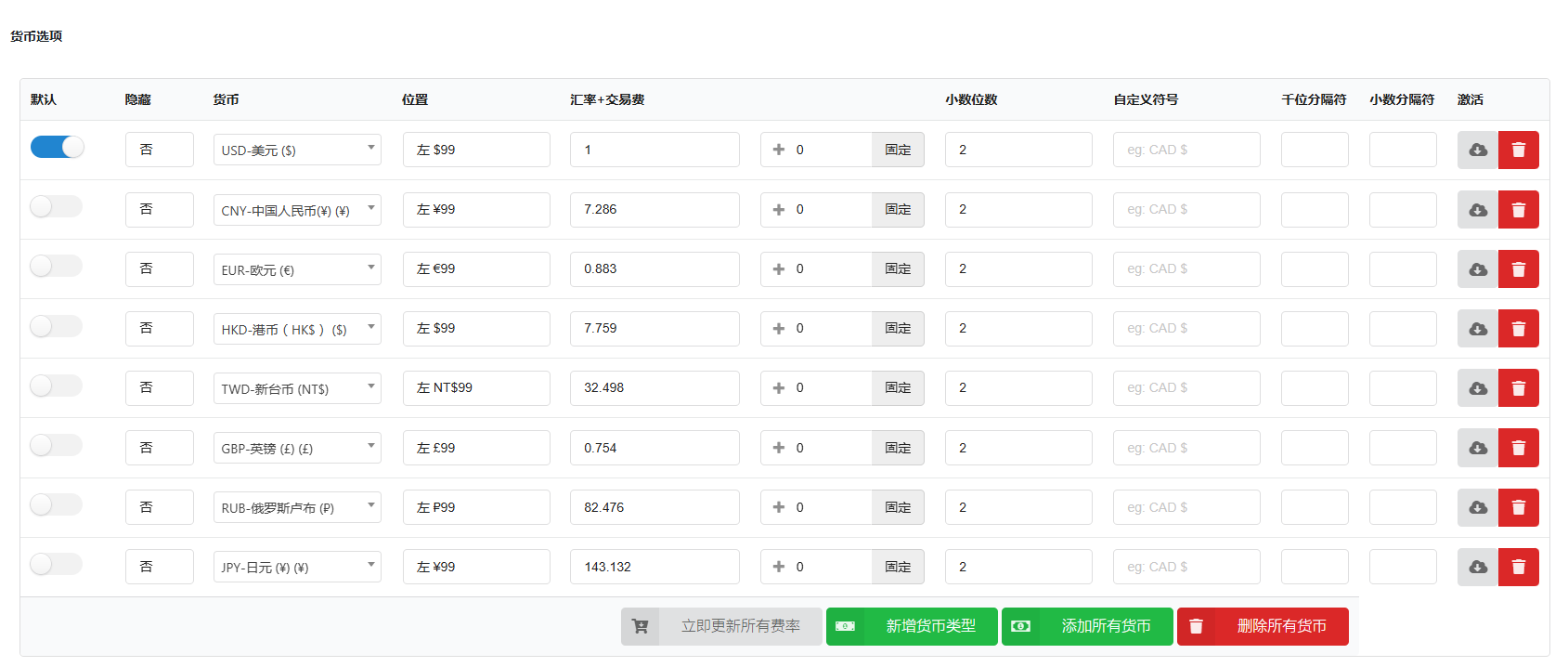
- To set the exchange rate manually:WooCommerce Multi CurrencyAlso allows you to set the exchange rate manually.
- Manage exchange fees: Every time you exchange one currency for another, your bank or money transfer operator may charge a currency exchange fee. The difference between the exchange rate they decide to use and the actual market exchange rate is the currency exchange fee.Multi-currency functionalityAllows you to add a permanent conversion fee to the exchange rate.
- Detect the client's IP address and display currency based on IP
- Show approximate prices: If you don't want the plugin to detect your customer's country and show prices in their home currency directly when they come to your store,WooCommerce Multi CurrencyIt is still possible to display the price in the default currency and the approximate price in the customer's home currency
- Choose the corresponding countries for each currency: Select all, Get countries by currency, Add/remove countries manually, Remove all countries.
- Pay in different currencies: Enable this option to allow your customers to pay in different currencies
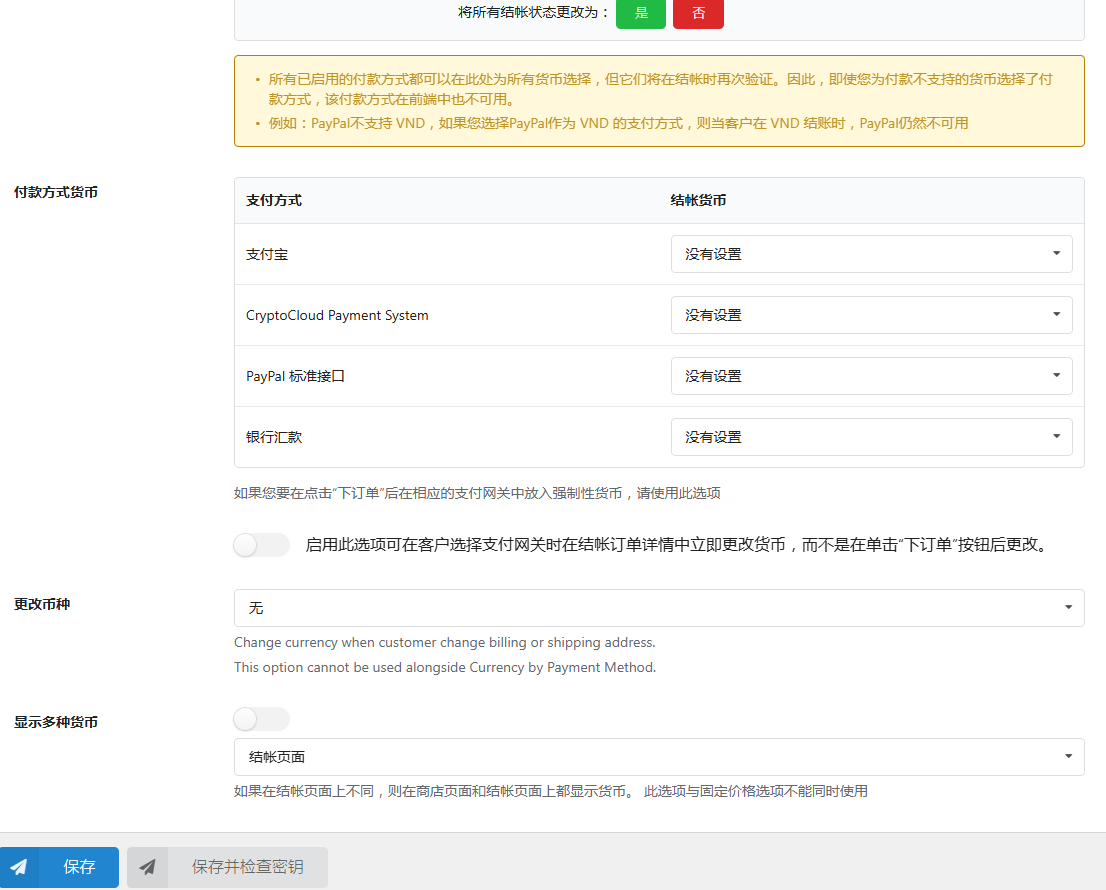
- Select the payment method for each currency.
- Force to select a specific currency: After the customer clicks "Place Order", the specified currency will be forced to be selected
- Change currency when a customer changes their billing or shipping address
- Display multiple currencies: This option is useful if the product prices on the single product page and the checkout page are not in the same currency
- Manage currency columns with different settings.
- Make beauty prices using format price: UseWooCommerce Multi-Currency, you can manage how product prices are displayed on the front-end.
- Automatic exchange rate updates: Manage automatic exchange rate updates every hour/day/week/month
- Select Currency Exchange Rate API: You can choose to update exchange rates from VillaTheme.com, Google Finance, or Yahoo Finance. More exchange rate APIs will be added in the future.
- Receive updated exchange rate emails:WooCommerce Multi CurrencyThis option allows administrators to receive notification emails when exchange rates are updated.
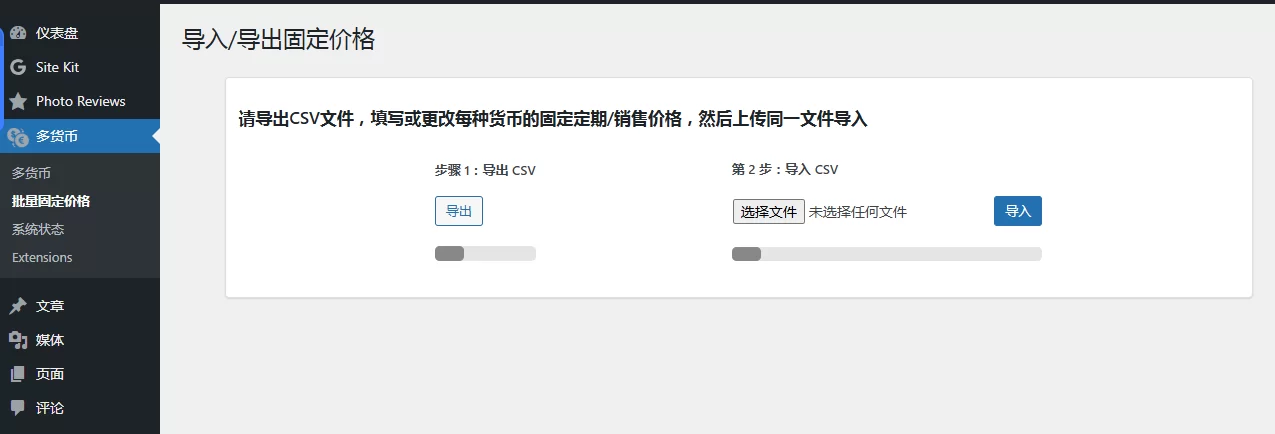
- Add/change fixed regular/sale prices using a CSV file
- Use shortcodes to: display a currency selector in different styles; show live exchange rates; and display product prices in a specific currency.
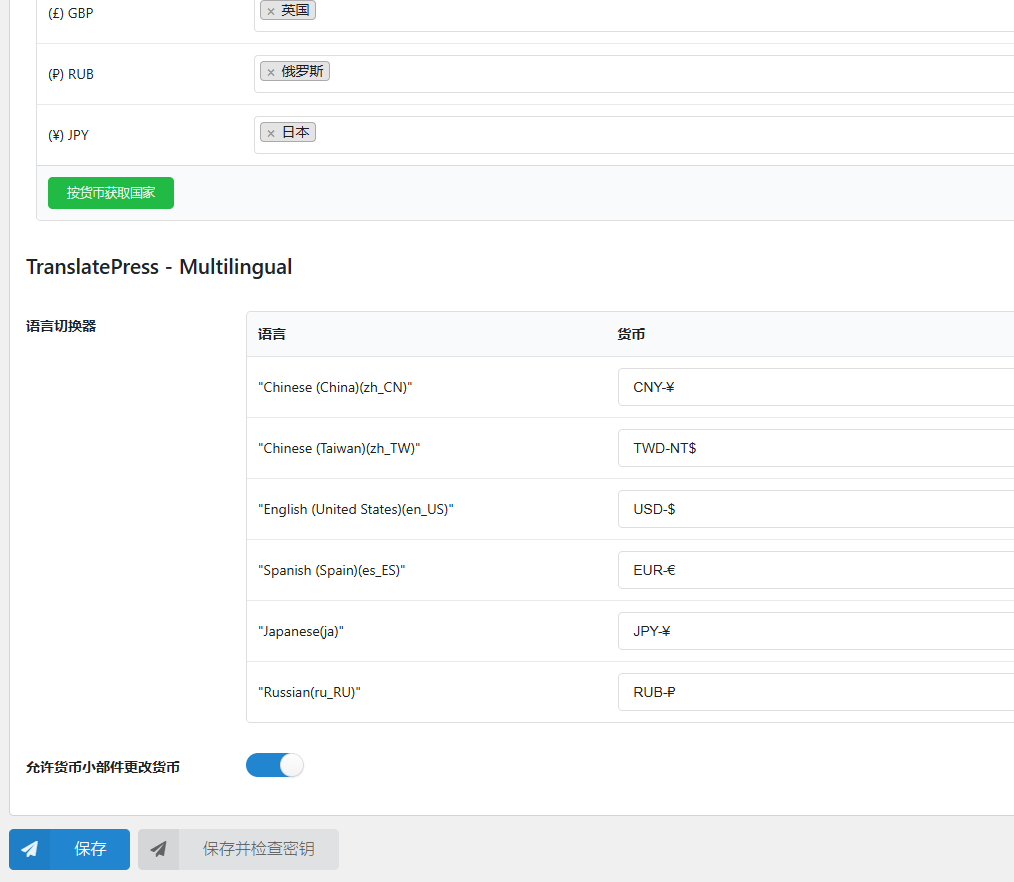
- Synchronize WPML, Polylang, and Translatepress language and currency changes.
Automatic currency detection with WOOCOMMERCE Multi-Currency
WooCommerce Multi CurrencyThe customer's native currency can be automatically detected based on the customer's country or language.
*Important Note:Please note that the automatic country detection feature may not work properly on websites/servers with caching. We recommend that you try the free version to check if it works properly on your website.
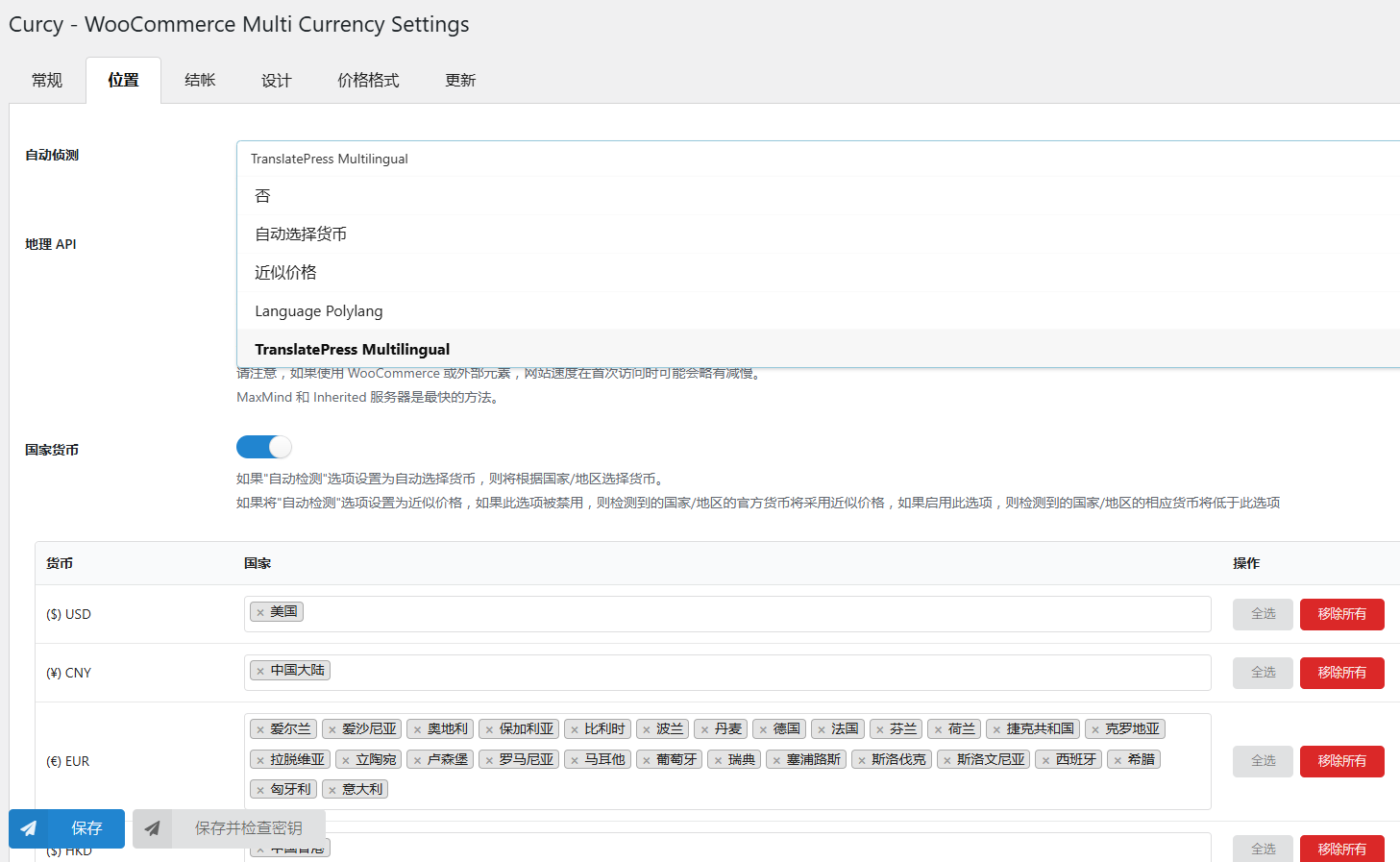
- Detect currency based on customer's country: This plugin will detect the customer's country based on their IP address and then display product prices in the corresponding currency.
* Notice:This option is available for detection at the national level, not for states or provinces and regions within a country.
- Currency by country: You can choose which currency to display to customers located in a specific country.
- Estimated Price: This feature allows customers to estimate the price of a product in their local currency. Prices are displayed in the default currency. However, within this currency, the estimated price in the customer's local currency is displayed.
- Automatically select currency based on Polylang language:The plugin will select a currency to display prices in based on the language of your website. For example, if your website is in two languages: English and Spanish, you can choose to display prices in British Pounds on your English website and in Euros on your Spanish website.
- Automatically select currency based on WPML language: Similar to Polylang, the currency will be selected based on the current language of the WPML plugin.
Use WOOCOMMERCE Multi-Currency Checkout
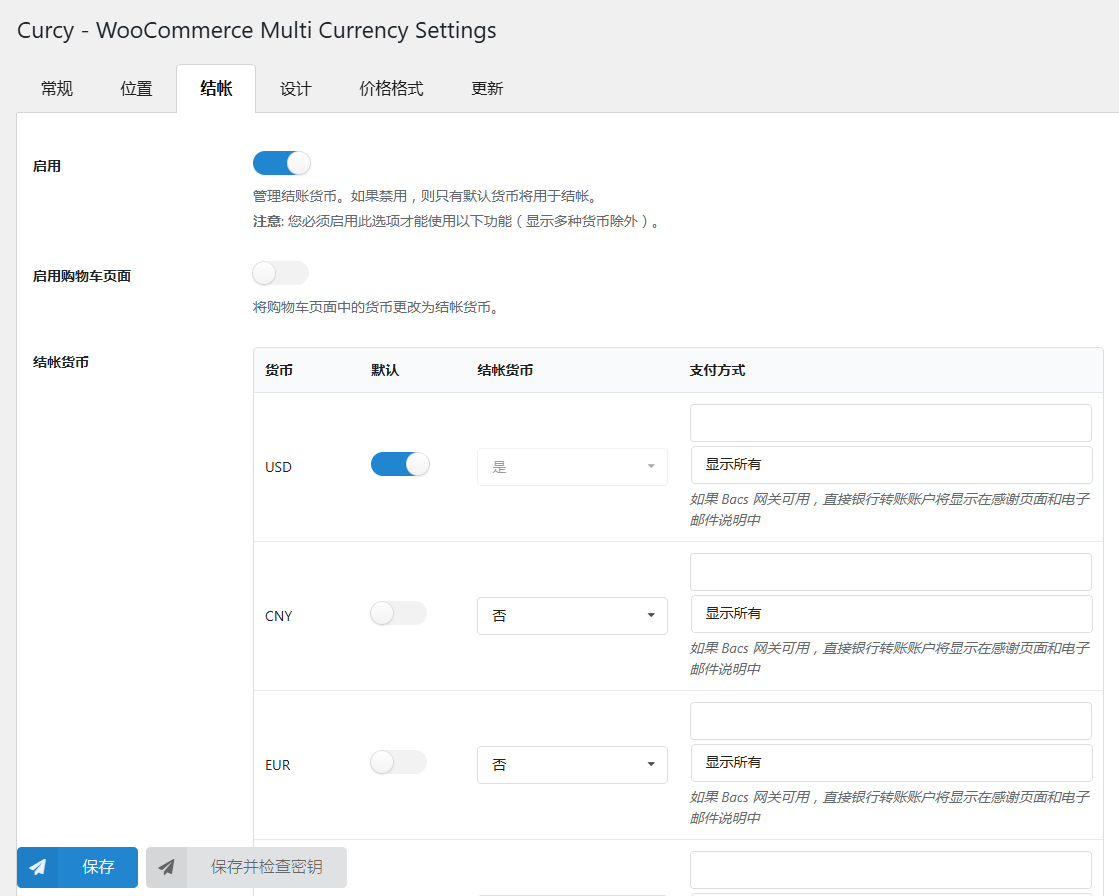
WooCommerce Multi-Currency FeaturesAllows you to select the checkout currency. You can select one or more checkout currencies.
- Allow multi-currency payments: Customers can make purchases in the currency of their choice. To use this feature, you need to enable a payment gateway on your website that supports your customers' chosen currency.
- Selected Checkout Currency: The plugin allows you to select the checkout currency. For example, you can display prices in 4 different currencies in your store but only accept payments in 2 currencies.
- Show payment methods based on currency: You can choose which payment methods to display on the checkout page based on currency.
- Checkout currency on the cart page: If the currency on the cart page is different from the checkout currency, change the currency on the cart page to the checkout currency.
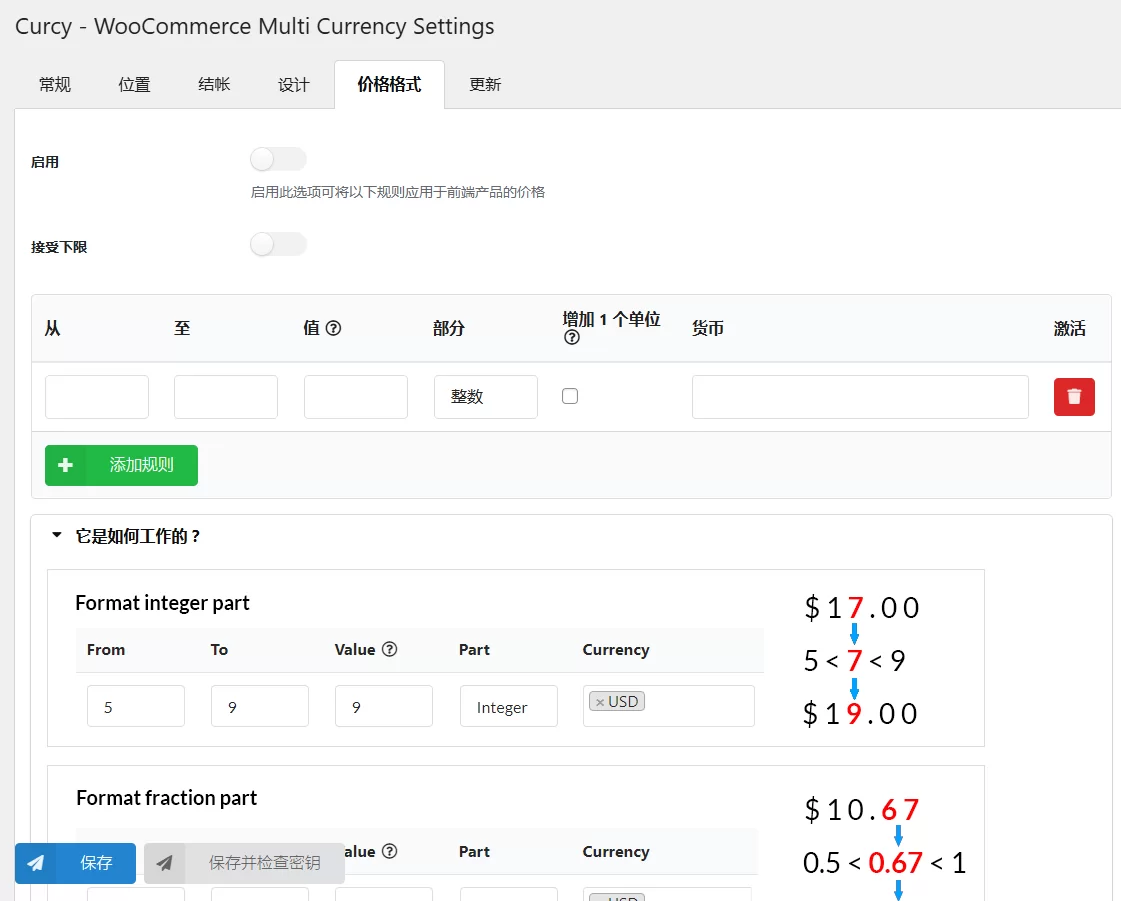
Price Format – Create Beautiful Product Prices
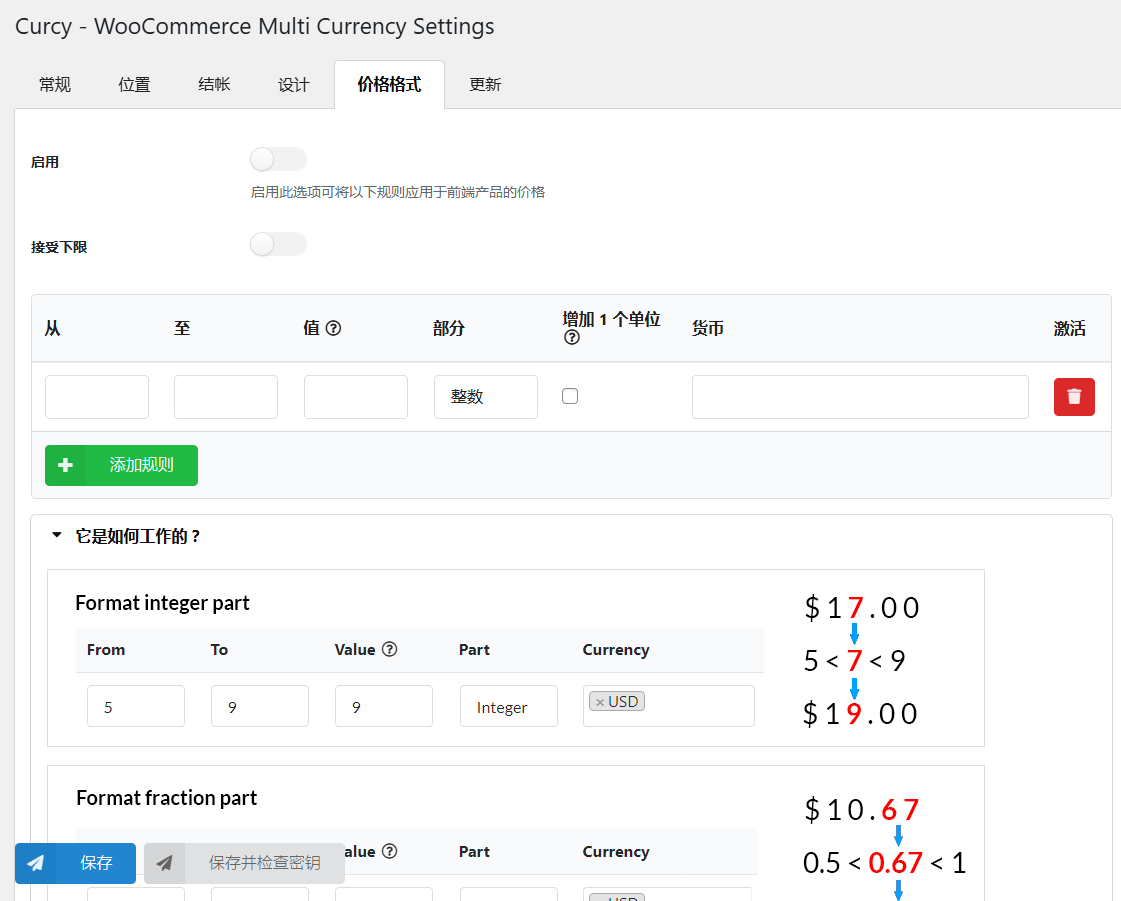
This setting allows you to make beauty prices, you can set rules for your product prices
- Accept Floor: Enable this feature if you accept fair pricing for both floor and ceiling prices. Disable this feature for ceiling prices only.
- Add rules: Set the front-end beauty product price display rules. You can clickhereRead the guide.
Shortcode
The plugin provides you with shortcodes to display currency exchange widget, exchange rates on the front-end, and product prices in different currencies.
You can visitDocumentation for this pluginShortcode to track WooCommerce multi-currency.
- Currency selector widget with different front-end styles.
- Edit currency selector logo size
- The exchange rate shortcode allows you to display real-time exchange rates on the front-end.
€87.20For example, if my default currency is USD, this shortcode will display the amount of 100 USD converted to EUR. - Display product prices in a specific currency:
- On a single product page:
Original price was: $10.00.$8.00Current price is: $8.00. - In addition to single product pages:
Original price was: $10.00.$8.00Current price is: $8.00.
- On a single product page:
design
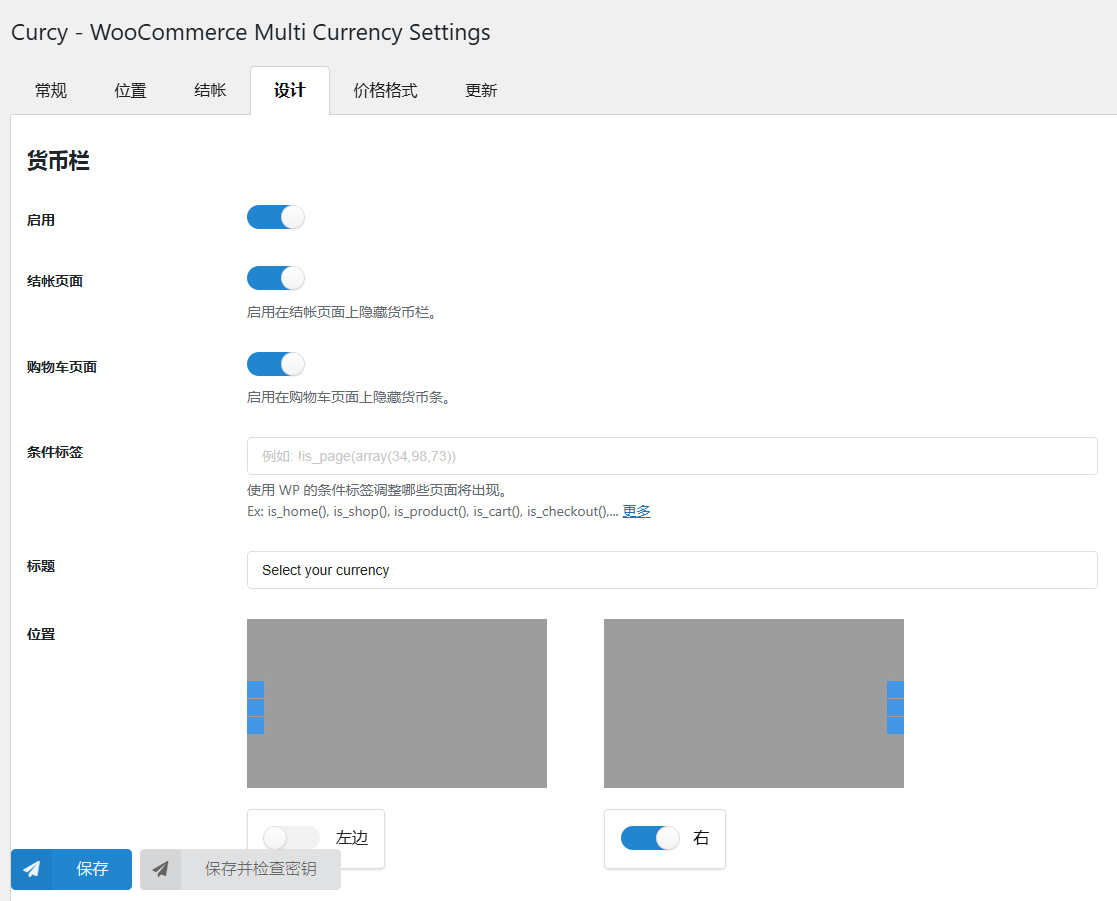
The plugin can be displayed on the frontend as a widget or as a currency bar.
- Currency column design:
- Enter your currency column title, the default is "Select your currency".
- Select the currency column position – Left or Right.
- Style: There are 5 styles for you to choose from: currency code, currency symbol, flag, flag + currency code, flag + currency symbol.
- color and background color.
- Conditional Tags: Use WordPress conditional tags and WooCommerce conditional tags to choose which page the bar will appear on.
- Widget design: You can customize the widget title, layout, and logo size.
- Custom Flag: Some countries use the same currency, this option helps you display the flag correctly.
- Custom CSS: All these options aren't enough? You can add your own CSS to style your widgets and currency bar.
- Collapse Currency Bar: Enable this option to collapse the currency bar when multiple currencies are present. The currency bar will display one currency by default and will fully display when the user hovers over that currency.
Friendly interface
The plugin has been developed with optimal settings. After successful installation, all you need to do is select the desired currency and click "Save." All support requests will be answered within one business day.
compatibility
We recommend that you try the free version before purchasing to ensure that the plugin works perfectly on your website.WooCommerce Multi-CurrencyThe plugin is not compatible with some commonly used plugins, please let us know and we will check if it is possible to make them compatible. The following plugin list is compatible withWooCommerce Multi-Currency Plugincompatible.You can visitDocumentation for this pluginto track updates to plugins compatible with WooCommerce Multi-Currency.
You must be logged in to post a review.
Theme/plugin installation method
Installation method one:
Directly upload the (theme/plug-in) zip package to the WordPress backend, install it and activate it.
[Theme installation method] Appearance-Theme-Add new theme-Upload theme zip package
[Plug-in installation method] Plug-in-Add new plug-in-Upload plug-in zip package
Installation method two:
FTP upload [theme] to the website root directory /wp-content/theme/ below
FTP upload [plug-in] to the website root directory /wp-content/plugins/ below
How to use Chinese documents
The default Chinese file is already included in the theme/plug-in file package. If there is an independent Chinese file, use the following method to upload it
FTP upload [theme Chinese file] to the root directory of the website under /wp-content/languages/themes
FTP upload [plug-in Chinese file] to the root directory of the website under /wp-content/languages/plugins



















Reviews
There are no reviews yet.