










Official Demo:Enter
Official price: $79/year,This site provides continuous new versions and Chinese updates
special function
ELEX WooCommerce Advanced Bulk Edit Products, Prices & Attributes is an advanced bulk editor WordPress plugins, which can be easily bulk edited WooCommerce Product Field, such as Product Title, SKU, Catalog Visibility, Featured Product, Product Type, Description, Short Description Product, Product Image, Gallery Image, Product Visibility Status, Stock, Quantity, Regular Price, Sale Price, Shipping Class, Weight, Dimensions , attributes, and any custom product metafields. You can also bulk delete filtered products.
The plugin allows you to bulk edit WooCommerce over 10,000 products at once, be it simple, variable or external. You can filter the products you want to edit using the filter options provided by the plugin. Filters can be applied using various parameters such as product type, product category, attributes, price, etc. Various filters can be set using RegEx patterns, and exclusions can be configured. You can even fully or partially undo your last bulk edit.
If you have a lot of products in your store with variants, this plugin is very useful to keep your store updated or to modify various attributes of your products in a few clicks. This is the fastest way to switch your store to a new WooCommerce store with updated prices and attributes.
you can use to do
Bulk edit WooCommerce products
Bulk edit 4 product variations by simply selecting a product type from the drop-down menu. Available product types are,
- simple product
- variable product (parent)
- Variable Product (Variation)
- external product
Filter products to bulk edit
Use various filter options to filter desired products and categories to edit. Apply changes to desired products without affecting other products.
Also, use the product ID to exclude some products belonging to any filtered categories, or exclude those categories from bulk editing.
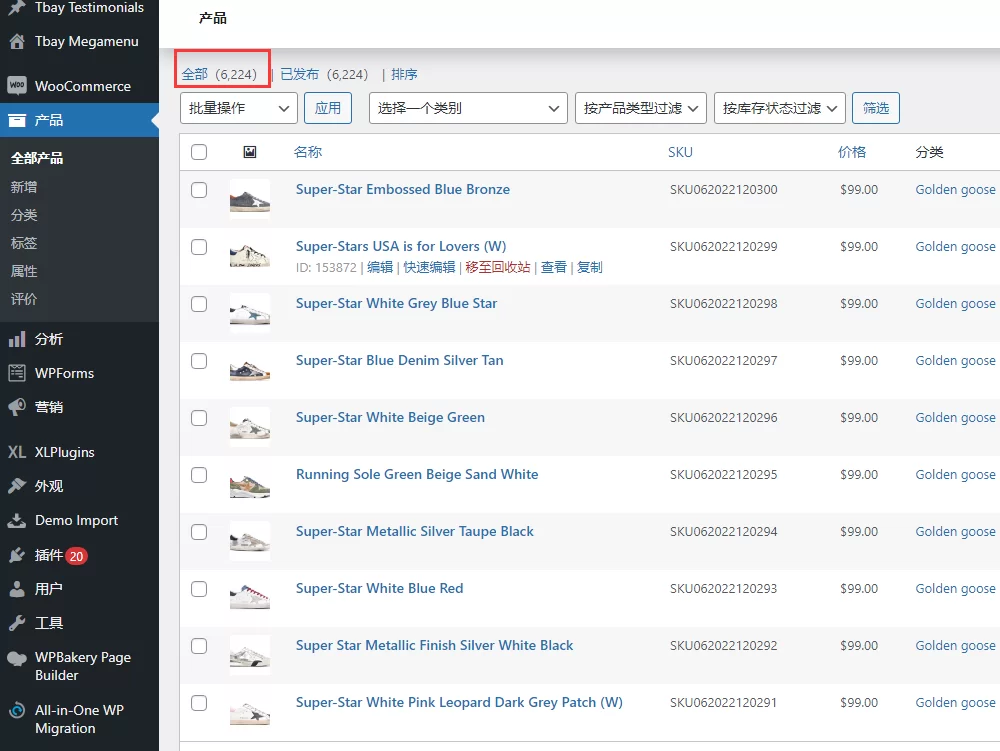
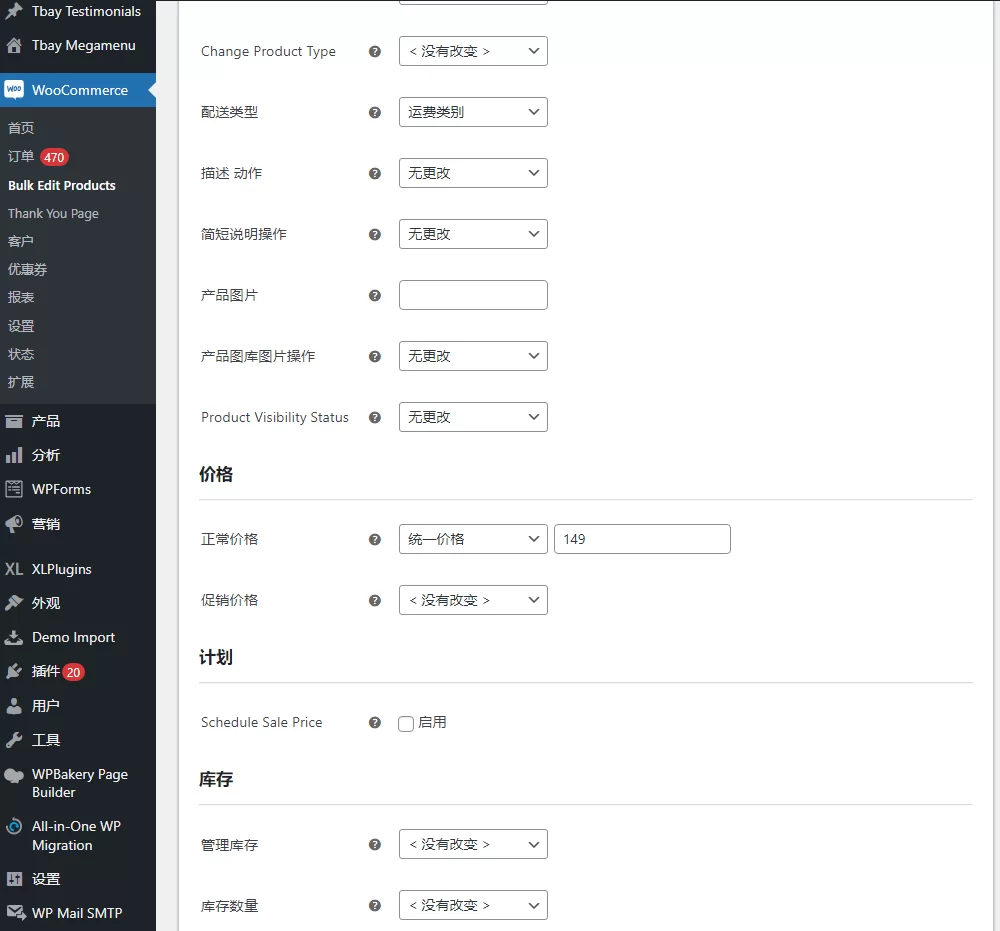


Preview filtered products before applying bulk edits
Quick preview to ensure all products to be edited are filtered. Check for any products that do not need to be updated and are already included in the filtered product list. If you don't want to proceed to the next step, please uncheck the product in the preview page.
The plugin will preview:
- Filter simple, variable and external products.
- Parent and variance products.
- Ajax search for preview products.
Bulk edit WooCommerce products
Bulk edit 4 product variations by simply selecting a product type from the drop-down menu. Available product types are,
- simple product
- variable product (parent)
- Variable Product (Variation)
- external product
Filter products to bulk edit
Use various filter options to filter desired products and categories to edit. Apply changes to desired products without affecting other products.
Also, use the product ID to exclude some products belonging to any filtered categories, or exclude those categories from bulk editing.
Preview filtered products before applying bulk edits
Quick preview to ensure all products to be edited are filtered. Check for any products that do not need to be updated and are already included in the filtered product list. If you don't want to proceed to the next step, please uncheck the product in the preview page.
The plugin will preview:
- Filter simple, variable and external products.
- Ajax search for preview products.
Apply edits to filtered products
Bulk edit multiple product attributes with just one click. Set product attributes to apply bulk edits to all filtered products and categories. And delete filtered products by moving them to Trash or delete them permanently.
Batch edit global attribute values of variable products
Swap one global product attribute value for another by simply enabling the product attributes available on your WooCommerce site. For example, change a "blue" shirt to "green" in your WooCommerce store by enabling the "color" attribute value and selecting the color you want to swap from the drop-down menu.
Create variations from all attributes and update product prices in bulk
Create a new variation for every possible combination of global and custom attributes of the selected variable product with just one click. Also, bulk update the regular and sale prices of the variants.
Delete filtered products with one click
Permanently delete filtered products or move them to trash to temporarily remove them from your store. Restore products moved to Trash when needed.
arrange homework
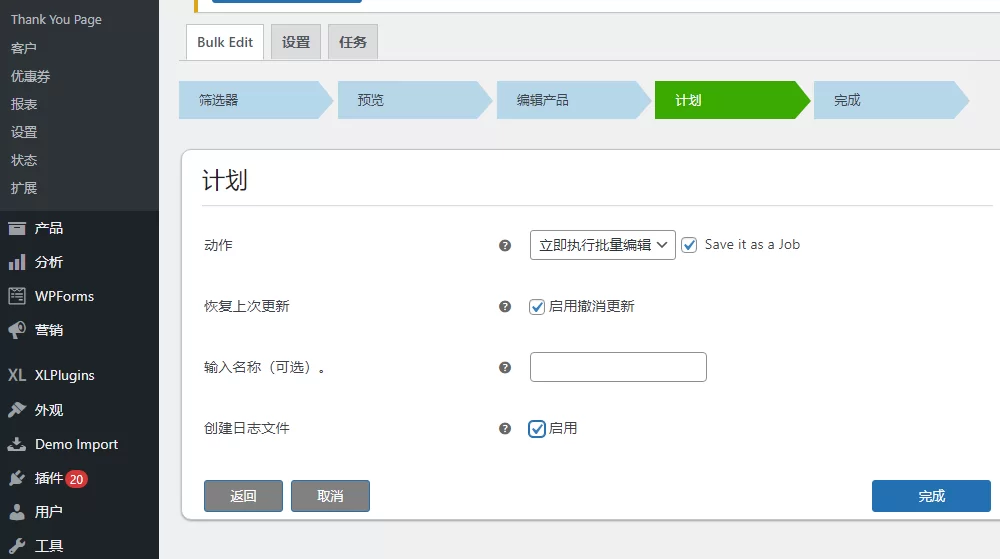
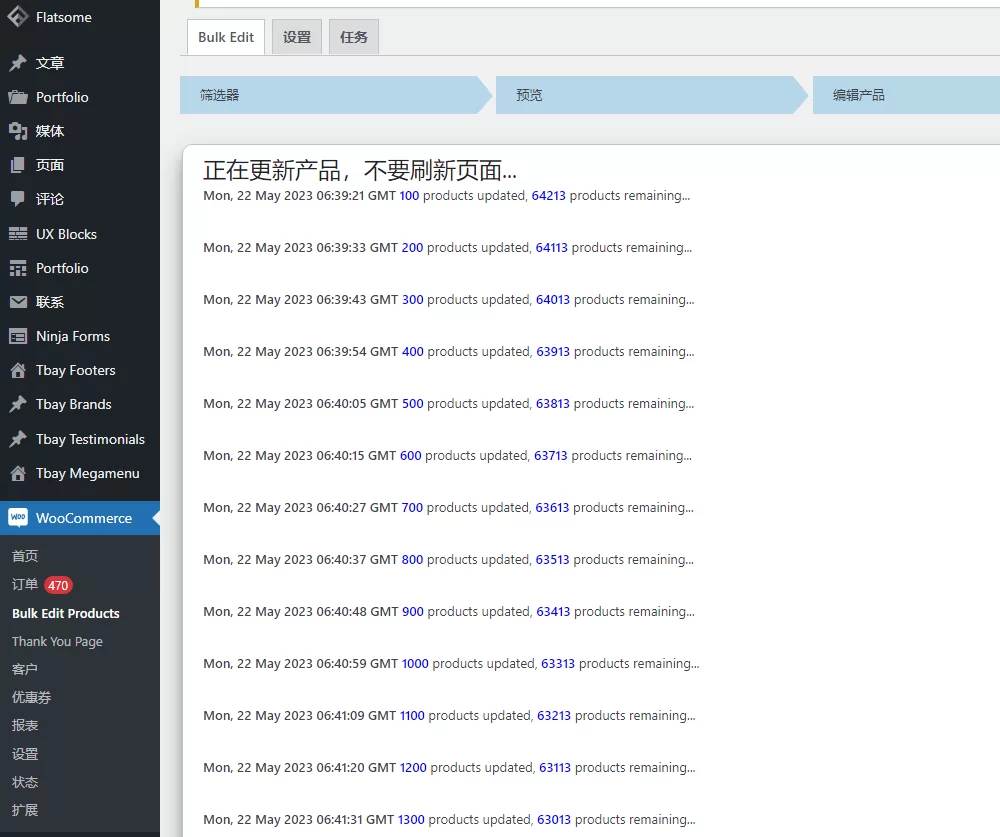
Schedule bulk edits by setting a date and time, and resume updates at the specified scheduled time. Schedule daily, weekly or monthly bulk update operations according to your needs. Want to stop bulk operations after a certain period of time? You can arrange that too!
Filter and bulk edit products using pattern matching (RegEx)
Use regular expression (regex) patterns for filtering and bulk editing of product titles and SKUs. For example, if you want to replace the product title for all products that begin with "Woo", enter the pattern "[^Woo]" without the single quotes in the square brackets.
Bulk add, delete or override global property values
The plugin allows you to add new or existing global attributes and their values to filtered products, as well as vary with configured attributes. Remove or replace existing attributes from filtered products in just a few clicks!
Bulk delete custom attribute values
Seamlessly bulk delete one or more custom product attributes. All product variations associated with these attribute values will also be bulk deleted.
Apply bulk edits to product categories
Just like product attributes, you can choose to add, remove, or overwrite existing product categories for filtered products.
Bulk edit any custom product fields
If you have installed a third-party plugin and want to update the product fields of that plugin, all you need to do is enter the meta key of the desired product metafield in the custom meta settings. And bulk edit this field like any other field!
Apply bulk edits to images in your product gallery
There are 3 conditions to modify the images in the filtered product gallery. you can:
Add new images to product gallery.
Remove images from product gallery.
Replace images in product gallery.
Redo and undo last action
you can:
Completely undoes the last bulk operation.
Partially undoes the last bulk operation.
Undo operations will be allowed before the session expires.
3 reviews for WooCommerce 高级批量编辑产品、价格和属性
You must be logged in to post a review.
Theme/plugin installation method
Installation method one:
Directly upload the (theme/plug-in) zip package to the WordPress backend, install it and activate it.
[Theme installation method] Appearance-Theme-Add new theme-Upload theme zip package
[Plug-in installation method] Plug-in-Add new plug-in-Upload plug-in zip package
Installation method two:
FTP upload [theme] to the website root directory /wp-content/theme/ below
FTP upload [plug-in] to the website root directory /wp-content/plugins/ below
How to use Chinese documents
The default Chinese file is already included in the theme/plug-in file package. If there is an independent Chinese file, use the following method to upload it
FTP upload [theme Chinese file] to the root directory of the website under /wp-content/languages/themes
FTP upload [plug-in Chinese file] to the root directory of the website under /wp-content/languages/plugins






























Patricia (verified owner) –
It is really powerful and easy to use.
nancy (verified owner) –
Tens of thousands of products, changing the price is really cool
Daniel Lee (verified owner) –
tough